Contracts
One workspace, from the first request to the signed contract
Job 1 of 7
Request and draft
Turn a request from the business into a first draft that fits the law, without starting from a blank page.
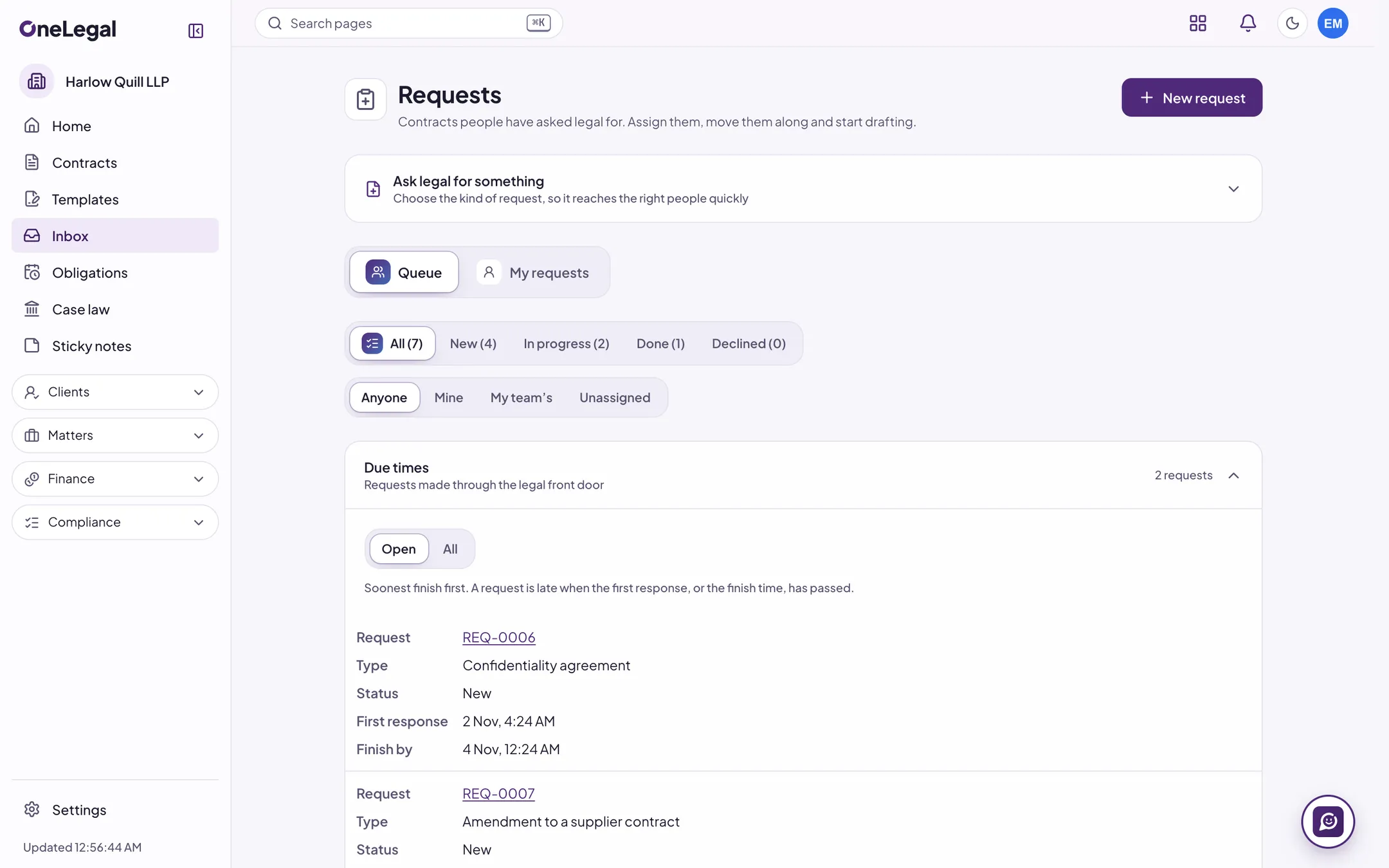
Contract requests
The business fills in a short form: what it needs, the other side, the matter or team, a template and a file. Legal gets a queue to assign, track and start drafting from, and people are told as it moves.
A legal front door
One place for the business to ask legal for help: request types with their team, due time and guidance, triage rules that route each request, a status page for the person who asked, and self-serve drafting from a template where your rules allow it. Rules, not AI.
Contract requests from Salesforce
Opportunities at the stages you choose become contract requests, with status and key terms written back to Salesforce, a field mapping and sync errors in plain words. It connects to Salesforce at launch.
Templates for all three UK legal systems
Guided questions and consistency checks produce a draft from OneLegal’s templates for England and Wales, Scotland and Northern Ireland. Or start from one of your own signed contracts.
Clause libraries
OneLegal’s UK clauses, with fallbacks and guidance, beside your own clauses with versions, fallbacks and guidance.
Fallback ladders
An ordered ladder of positions for each clause, with the approval each step down needs, mandatory wording that review flags, clauses that must go together, and a report of every step below your preferred position.
Your own templates
Build templates with questions, sections that depend on the answers and your clauses. Try them with test answers, then publish.
Template power tools
Repeating sections, conditions from a shared library, tables with totals, calculations and look-ups, cross-references, a Word file turned into a template, and a test run before you save.
Bilingual contracts for India
For India, the second market, which is next: English and Hindi side by side, each clause kept in step with its pair, with a prevailing-language clause and a two-column Word file. Polly can translate; with Polly off, you type each side. Not for UK law.
Edit in the browser
Edit a contract like a Word document, with formatting, tables, pictures, headers and footers, comments and @mentions. Changes are saved as a new version, with tracked changes and comments in the Word file.
Ask Polly to draft a clause
Describe a clause in your own words. Polly starts from your clause libraries and says which clauses it used, or that it found none. Nothing goes in until you insert it, as a tracked change.
Job 2 of 7
Review against your playbook
Run a contract against your playbook and see why each point matters, with the source beside it.
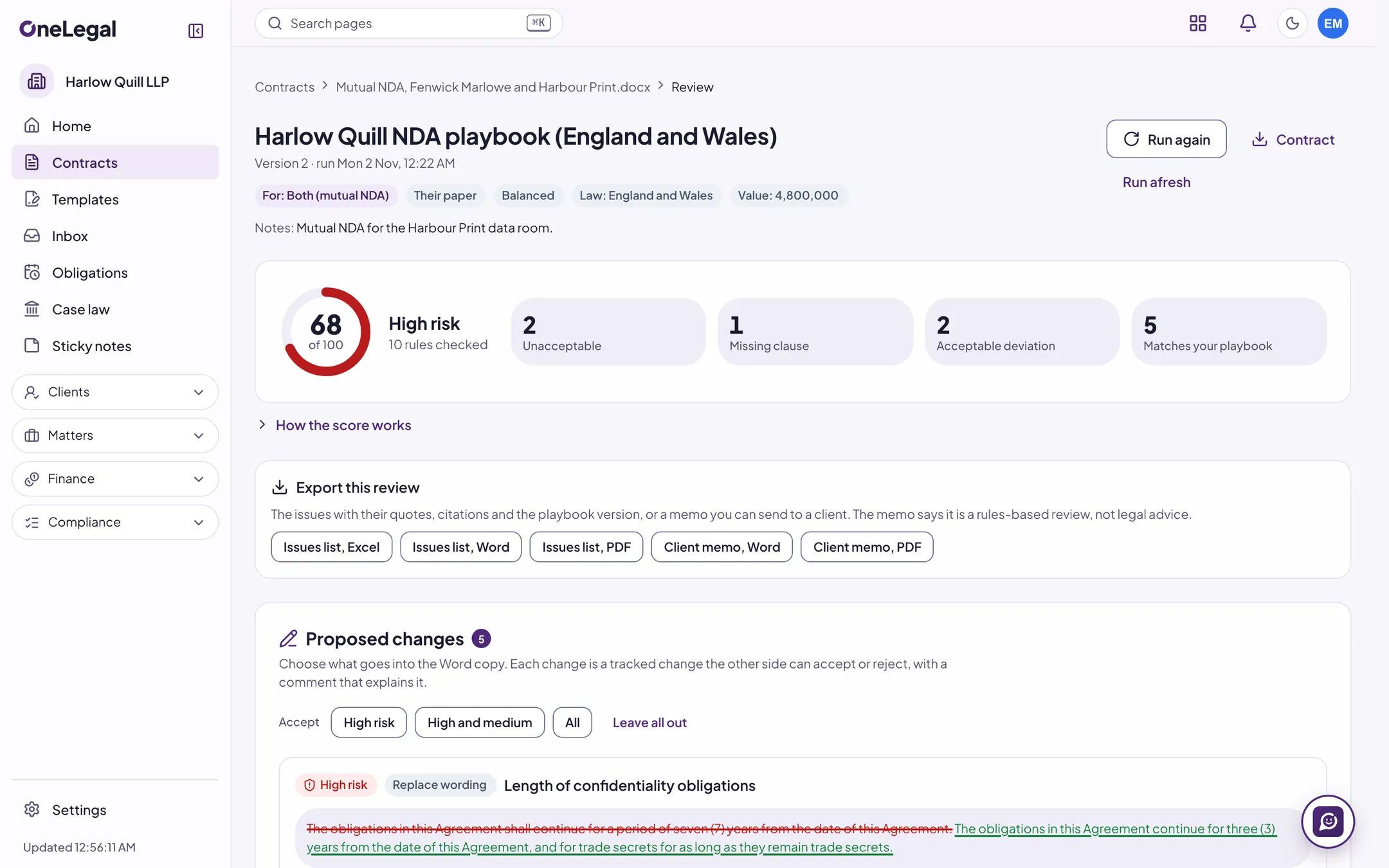
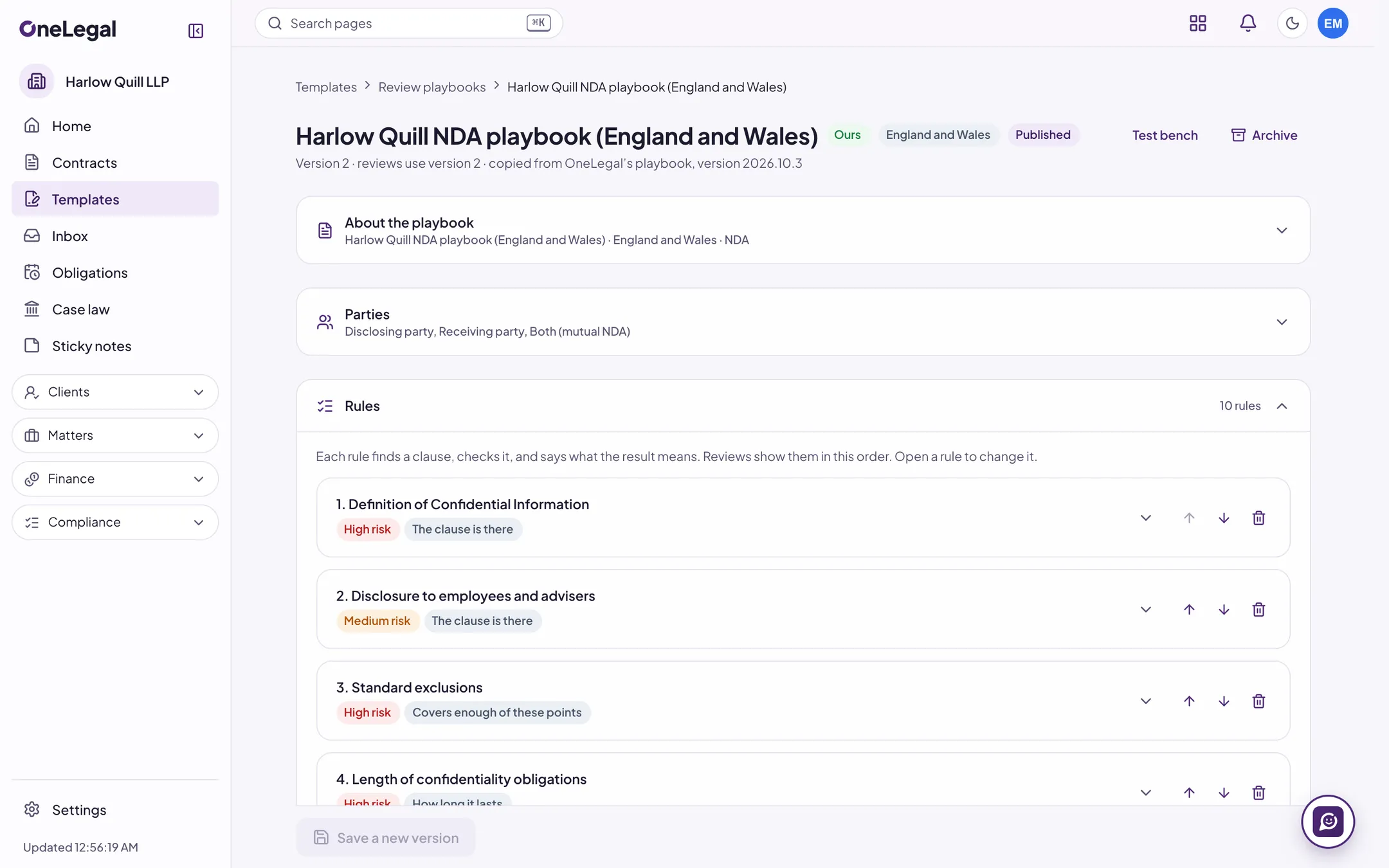
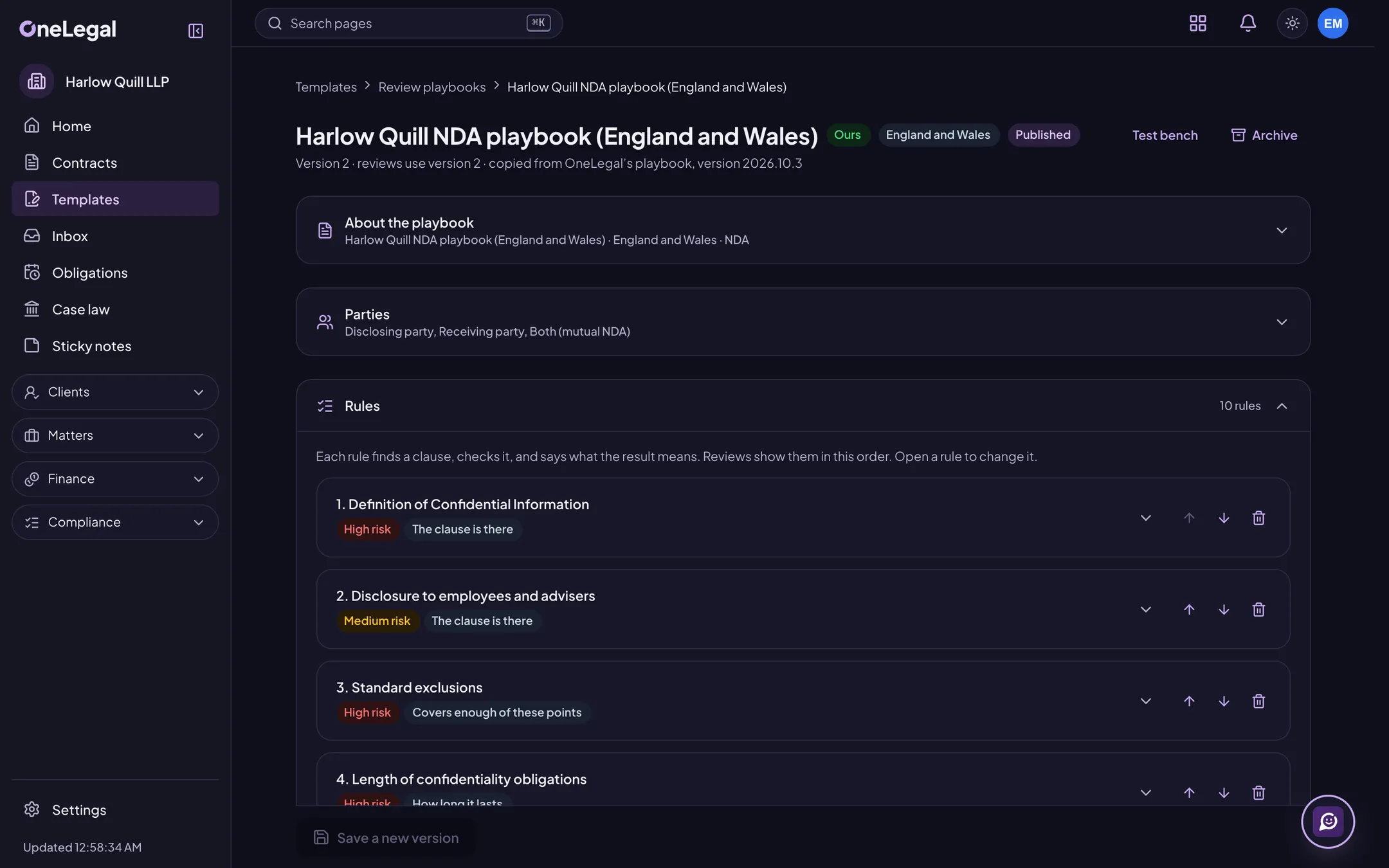
Findings with their working shown
Each finding shows the playbook rule, the clause and the source behind it. The same contract and playbook give the same findings, because review follows your rules.
Review on arrival
Each arriving contract is reviewed with the playbook you chose for its kind. Clean ones are cleared, ones with medium or high findings go to legal’s queue, and ones that can’t be read go to a manual queue. Rules, not AI.
Playbooks you write yourself
Write your own playbooks, or copy one of OneLegal’s. Rules have versions, need approval to publish, and can be rolled back.
Tracked-change redlines
Download a Word copy with the proposed changes as real tracked changes, each with a comment that explains it.
Defined terms and cross-references
See the terms a contract defines, terms never used, capitalised terms that are never defined, and references to clauses and schedules that point nowhere.
Your own extraction schema
Define the clause types and properties you track, with phrases, guidance and the confidence each needs. Every value shows the words it came from, a check queue confirms or corrects it, and accuracy is measured from your own corrections. Rules, not AI.
Your own contracts as the benchmark
For a clause, find the closest clauses in your other contracts. See a contract’s key terms beside your other contracts of the same type.
Export a review
Take the issues list as XLSX, DOCX or PDF, or a client-ready memo as DOCX or PDF, with citations, the playbook version and your logo.
UK case law by citation
Open a UK judgment from Find Case Law by its citation, without leaving OneLegal.
Citation checks
Find the case citations in a document, check each neutral citation against the case law library and each quotation against the judgment, and export a table of authorities.
Legislation and horizon scanning
Watch the provisions that matter, read them as they stood on a date and compare two versions. Monitors watch public feeds for your topics and legal systems, and an item that needs action becomes a task linked to the contracts, templates and playbooks it affects.
Compare to market
Set seven deal points (liability cap, payment, confidentiality, notice, term, renewal, governing law) beside your own signed contracts and OneLegal’s standard positions. Companies that opt in can add an anonymous market pool, shown only when enough companies contribute. Rules, not AI.
Polly tasks across many contracts
Ask Polly for a due-diligence table, a playbook check of a whole set, or updated party names across many contracts. It shows a plan and a credit estimate first and starts only when you approve. Every answer cites the exact words.
Ask Polly about a contract
Ask a question on a contract’s page. Each part of the answer is tied to the exact words it rests on, and laws come only from OneLegal’s statute packs.
Job 3 of 7
Negotiate
Keep every version in one place and see what really changed.
Every version, and what changed
A timeline of versions, any two compared as a Word redline. Changes the other side made without tracking them are listed separately.
Review the other side’s turn
Check the other side’s version against your playbook and see which rules moved, so you accept, counter or reject with the facts in front of you.
Negotiation memory
Beside a draft, see the wording you agreed with the same counterparty before, clause by clause, the concessions made against your playbook, and how often that counterparty pushed back on each topic. Contracts a person can’t see never count. Rules, not AI.
A room for the other side
Invite the counterparty’s people to a room for the contract. They comment and suggest changes, each kept pending until you accept it, and a Word copy they send back comes in as tracked changes. Internal comments stay with you.
Clean before you send
Take the authors, comments, tracked changes and hidden text out of a copy, redact a PDF permanently, and proof it for placeholders left in and amounts that disagree with their words.
Work in Word
Review, redline as tracked changes, and insert clauses and execution blocks without leaving Microsoft Word.
Review in Google Docs
Review a Google Doc with a playbook and send the changes you choose back as suggestions, or as comments where a suggestion is not possible. Each connects to its provider’s live service at launch.
Contracts from Outlook
Save a Word or PDF attachment from Outlook as a new contract or a new version, review it, and draft a reply that sums up the changes. Each connects to its provider’s live service at launch.
Ask Polly to edit and check
In the web editor, ask Polly to make a clause clearer, shorter, plainer, mutual or fairer to a party, or to check the document. Each suggestion sits beside the original and goes in, as a tracked change, only if you accept it.
Job 4 of 7
Approve and sign
Know how a contract must be signed, get the right people to approve it, then sign it.
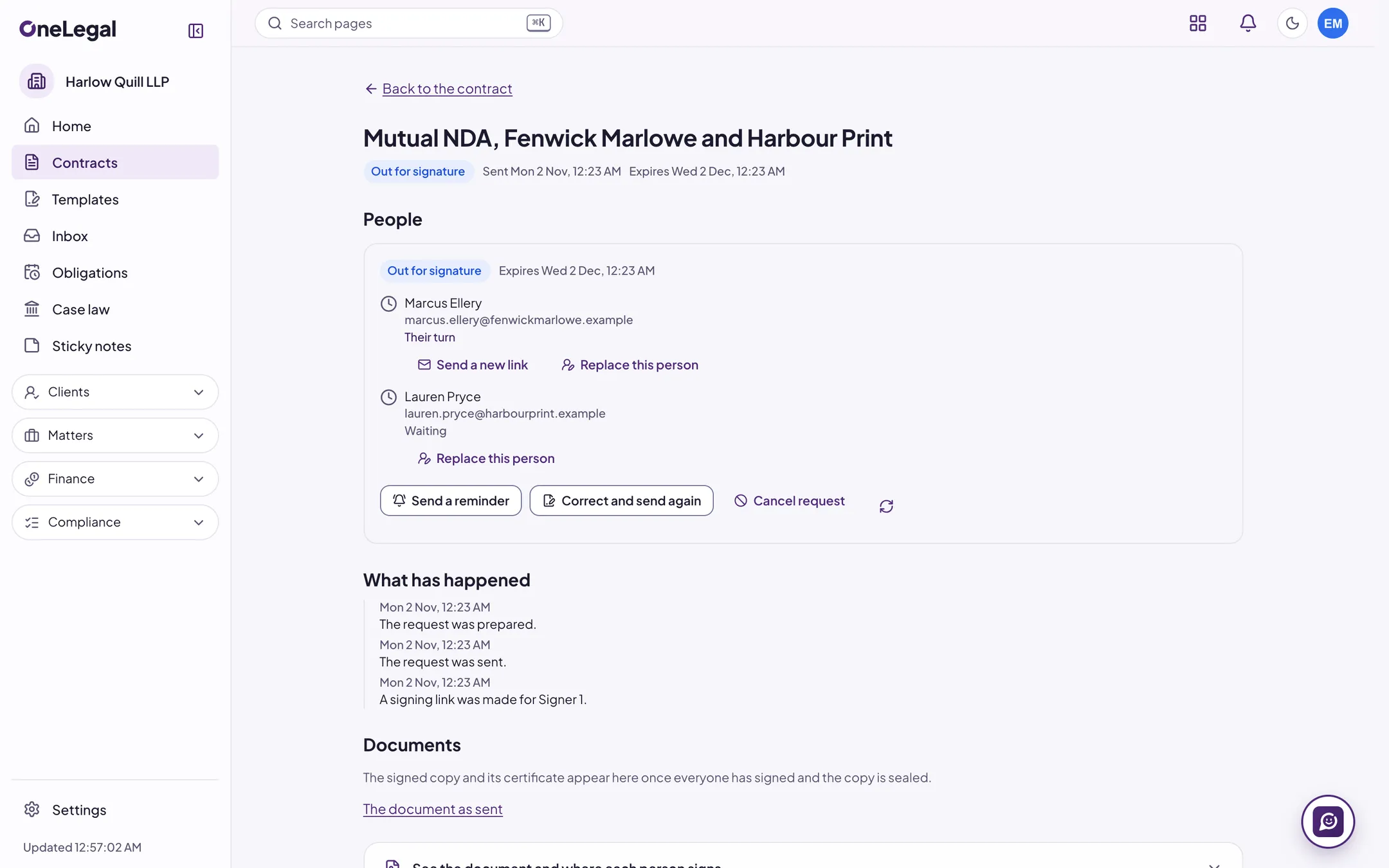
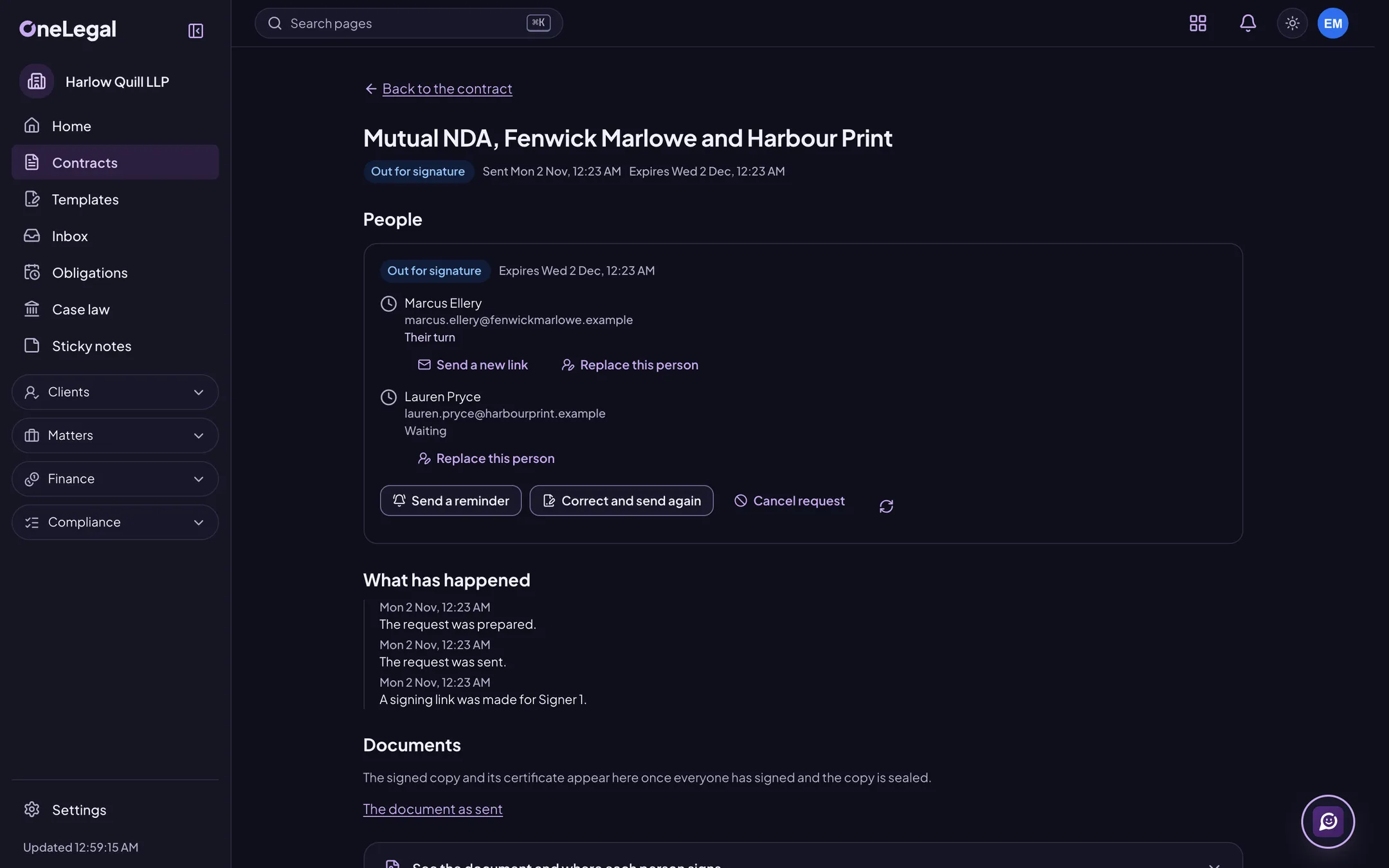
Approvals before signing
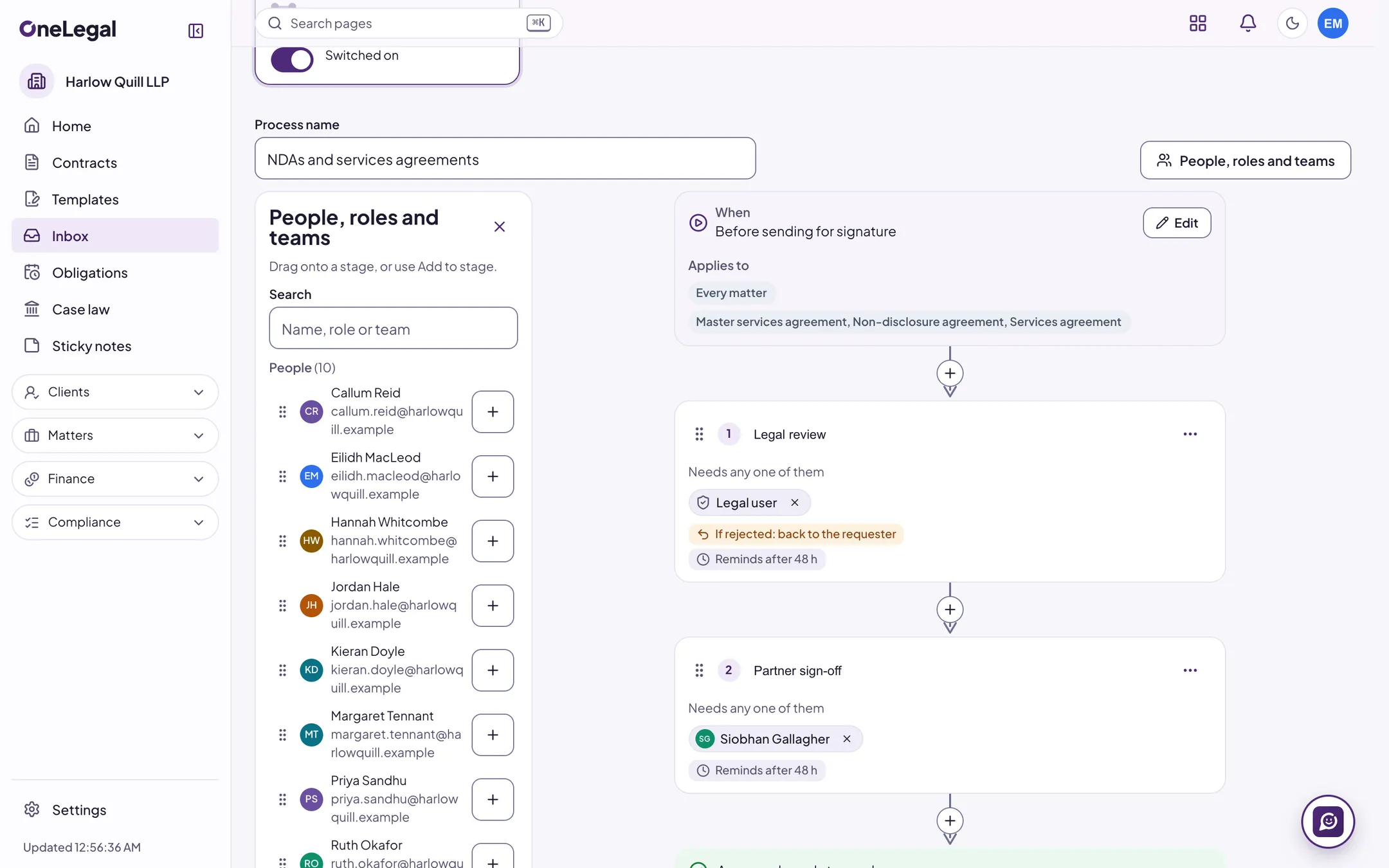
Draw your own approval flow: stages of people, roles or teams, with conditions that skip a stage and rules for a rejection or no answer. Nothing goes for signature until it is approved.
Signing authority and approval rules
A signing authority matrix by contract type, value, entity and governing law, checked when a contract is sent; auto-approval that skips a stage for a safe contract; and an approval that survives a typo but resets when a figure or a key term changes.
Out of office, covered
Name a delegate for the days you are away, and approvals go to them with a note while you can still act. A test run of an approval flow shows who would be asked, and sends nothing.
Execution checks for each UK legal system
Find out whether it must be a deed or can be a simple contract (formal writing in Scotland). Get execution blocks for a company, an LLP or an individual, and warnings for deeds, land registry documents and Scots law you must acknowledge.
Company register checks
Before you send, each party’s company number is checked against Companies House for its registered name and status. A problem is a warning you acknowledge; an unreadable register never blocks you.
OneLegal e-signature
Colleagues sign in the app and outside signers from an emailed link with a code. You get recorded consent, a tamper-evident log and a sealed PDF. Deeds and land registry documents are not signed here.
Bulk send and signing routes
Send for signature in order, all at once or in groups, add a signer only when a value passes a test, send one template to a list of people from a spreadsheet, and sign several requests in one session.
E-stamping and Aadhaar eSign, for India
For companies in India, the second market, which is next: e-stamping with fees and duty shown before you order, the certificate kept with the contract, and Aadhaar eSign through the same handoff as Docusign. It connects to Leegality at launch. Not for UK law.
Docusign, if you prefer it
Send an agreed contract through Docusign, see who has signed, and file the signed copy and certificate with the contract. Each connects to its provider’s live service at launch.
A portal for people outside your company
Share a document with someone outside. They sign in with their email and a code, see only what you shared, and can open, answer, download, comment where you allow it, and sign. You can take a share back at once.
Published terms and clickwrap
Publish your terms of business or an NDA as a page that people accept with a tick box. Each acceptance records who, when and which version, and you can pause a page at once.
Job 5 of 7
Manage signed contracts
Keep contracts where you can find them, and know what is due.
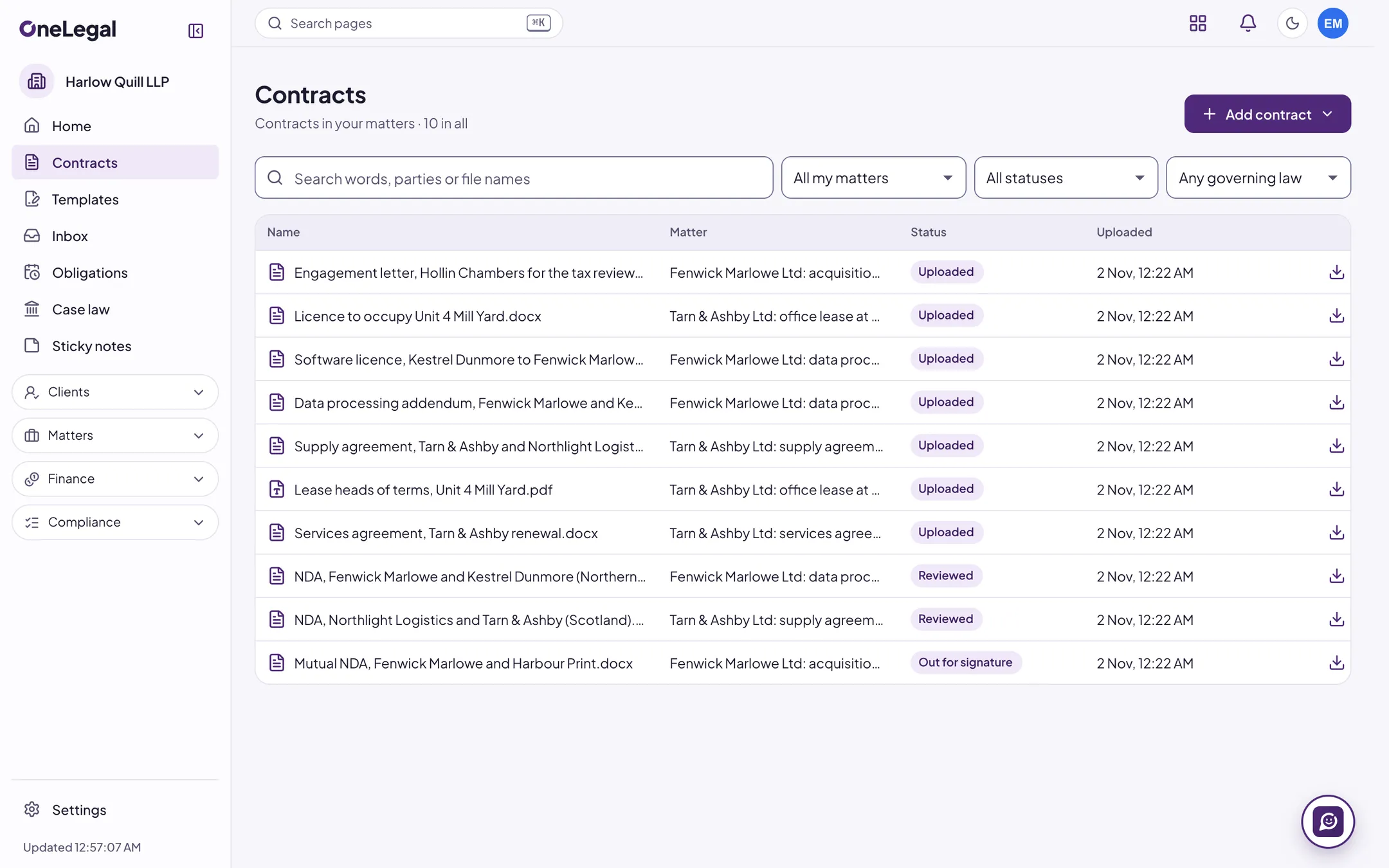
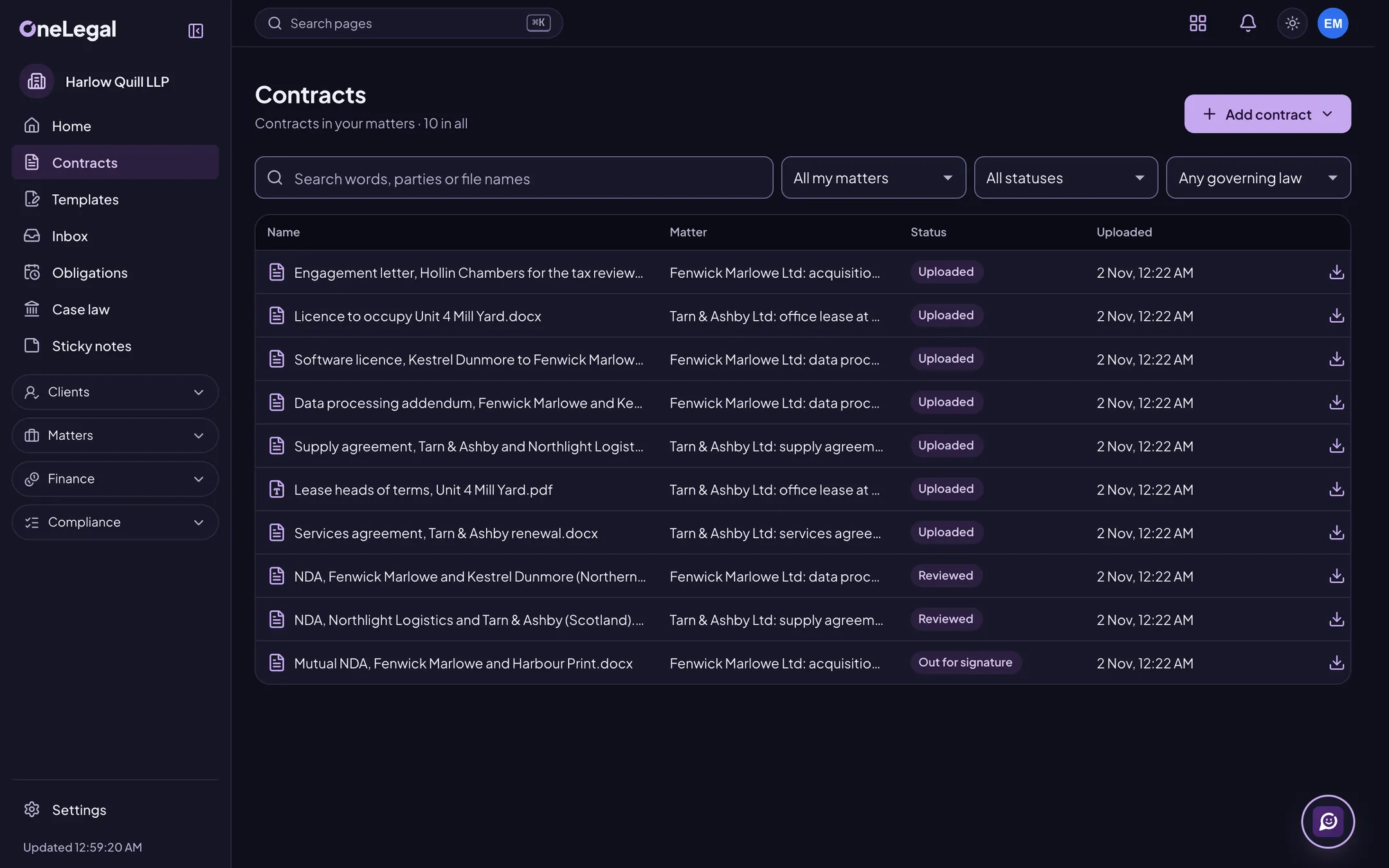
Bring your contracts in
Add Word and PDF contracts to a matter one at a time, many at once or as a zip. Scanned PDFs are read in English and Hindi.
One repository
List, filter and search every contract, read it in the app, and download the original file whenever you need it.
Key terms, each with its source
Parties, dates, term, renewal, notice, value, governing law, stamp duty and signatories, each linked to where it was found.
Renewals and obligations
A renewals calendar with notice-deadline alerts, and an obligations register with owners, due dates, recurrence and escalation.
Obligations and renewals, run properly
Obligation categories with reminder days, owners and evidence rules, an escalation chain, waivers with reasons and dashboards by owner and counterparty. A renewal brief sets out each deadline, option and notice, with a renewal board and the auto-renewals at risk.
Contract families
Link a contract to the one it amends, supplements or replaces, see a family’s terms side by side, and get a warning about a missing or ended parent.
Connect where your contracts already live
Open contracts from Google Drive, SharePoint and OneDrive, Dropbox or iManage, keep a folder in step with your repository, and save reviewed copies back. Each connects to its provider’s live service at launch.
Retention and legal hold
Set retention rules for contracts and review runs, place a legal hold on a contract or a matter, and keep deletion certificates.
Outside counsel and legal spend
Rate cards and billing guidelines for the firms you instruct, LEDES and PDF invoices checked against them with a reason for each flag, approvals, accruals and spend reports. Keep a panel with scorecards and run RFPs with a weighted scoring matrix.
Legal operations analytics
Cycle times from request to signature, workload by person and team, and service-level performance, from counts and times only.
Job 6 of 7
Work together
Keep the conversation beside the contract, behind the same walls.
OneChat
Direct messages, groups and channels, @mentions, links and documents, and calls between colleagues that are never recorded. Your admins see numbers, never conversations.
Polly in OneChat
A chat of your own with Polly, and “ask Polly” in any conversation, where your company has switched Polly on.
Approve from your phone
An inbox of what waits for you, the contract and its changes, Ask Polly, and approval in three taps, with a passkey check above your company’s limit. The iOS and Android apps come to the app stores at launch.
Hand a contract to a colleague
Pass a contract to someone on the same matter with a note. They see it in a queue and can assign it back with the reason, pass it on or mark it done.
Private sticky notes
Arrange notes on boards with colours, checklists, tags and reminders, and link them to a contract or matter you can see. Sealed with your company’s key: nobody else, not even an admin, can read them.
Notices that respect your time
Hear about new versions, reviews, signatures, approvals, deadlines and mentions in the app and by email, with quiet hours and a daily or weekly summary.
Slack and Microsoft Teams
Post a title and a link, never contract text, to the Slack or Teams channels you choose, by kind of notice and matter. Each connects to its provider’s live service at launch.
Job 7 of 7
Run it your way
What a company decides for itself is a setting on screen, not a request to us. Admins change it, every change goes to the audit log, and nothing waits for a release.
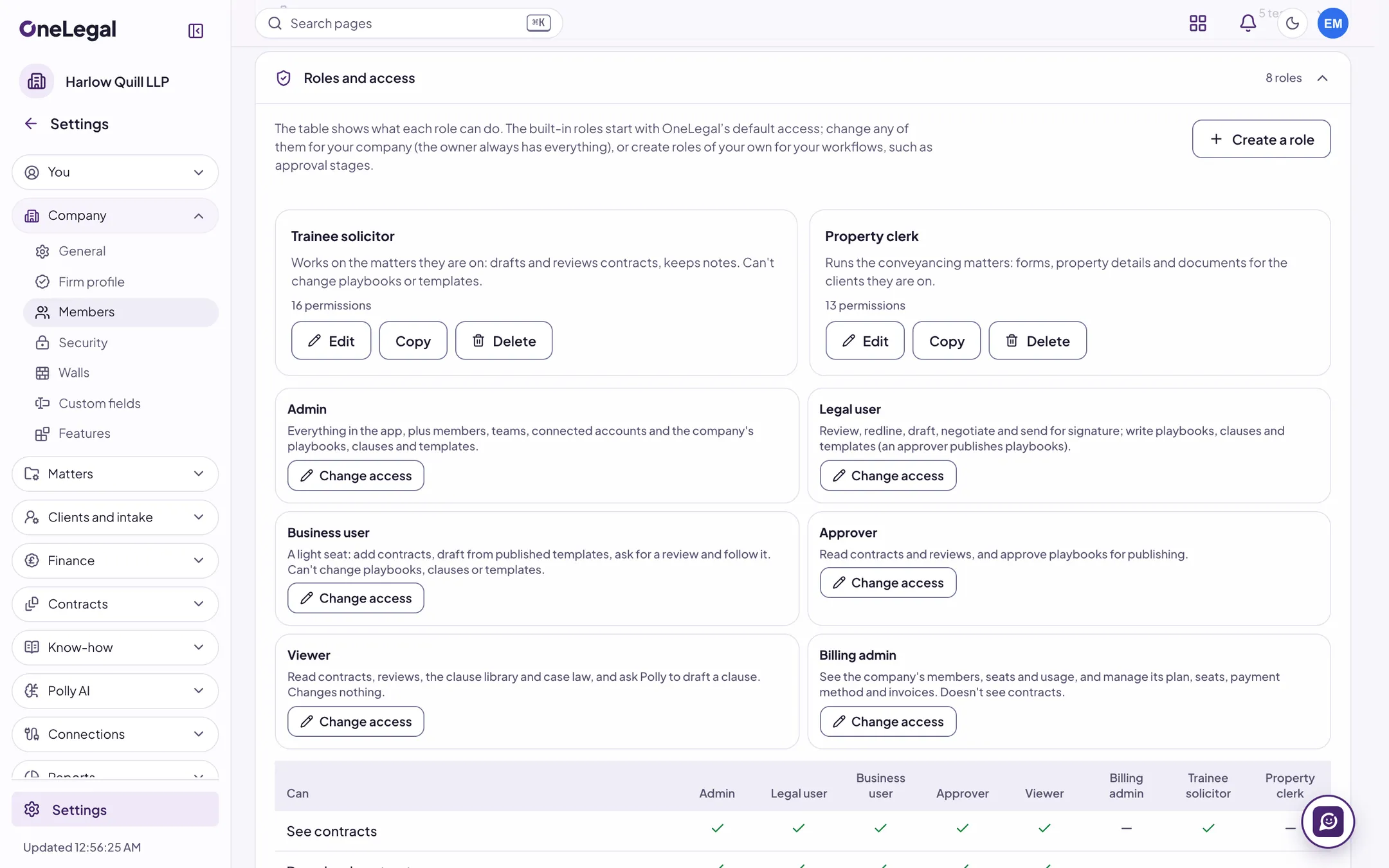
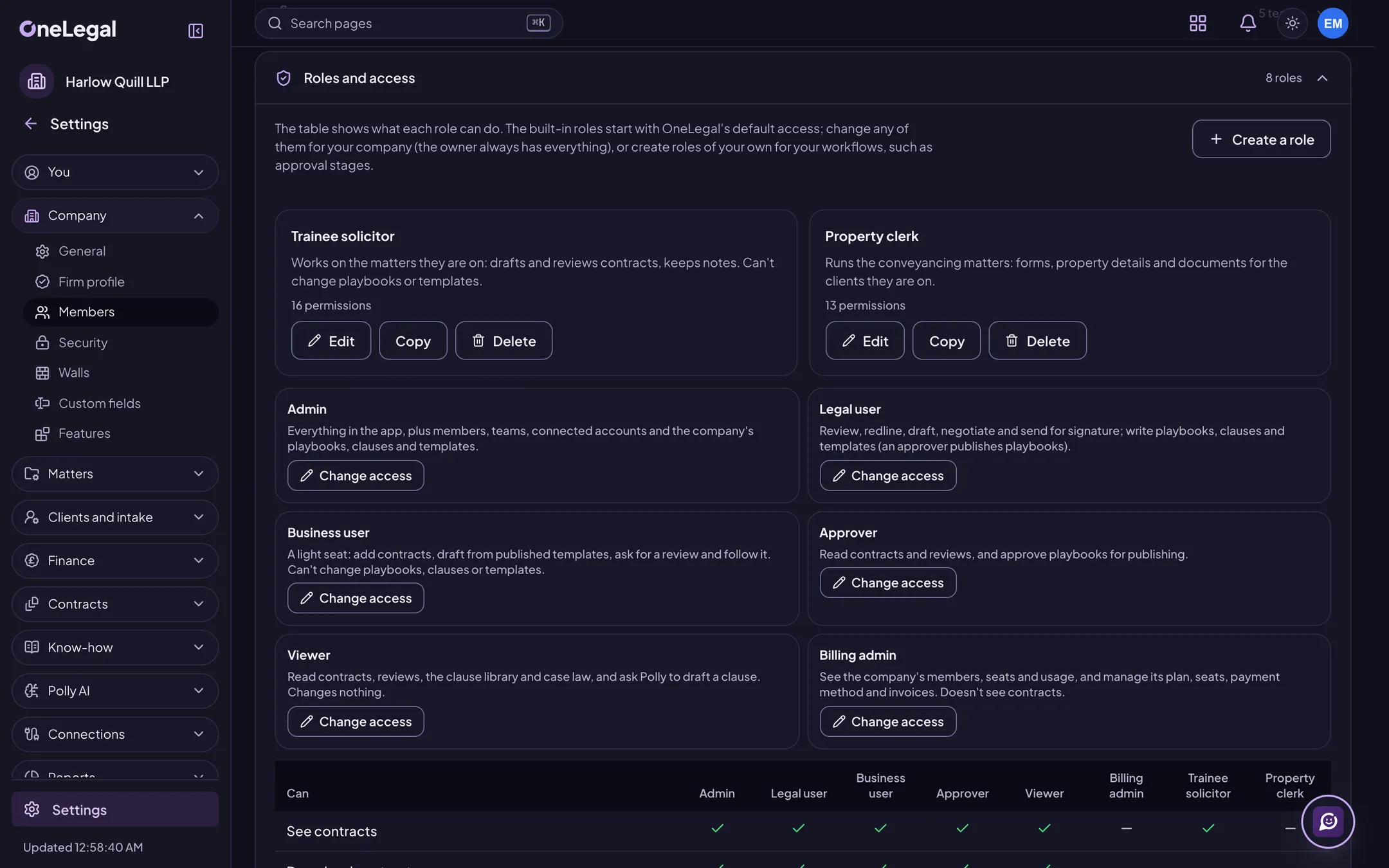
Roles and permissions
Every action is a permission, and a role is a set of them. Use the built-in roles, or add roles of your own and choose exactly what each can do.
Matters and ethical walls
People see only the matters they are on, and the walls are kept in the data itself, not just in the screens. Wall policies shut out named people, teams or roles, with a screening notice read before a matter opens and an alert if a wall is breached. Walls kept in iManage or Intapp come in when those connect at launch.
Members and teams
Invite people one by one or from a CSV, deactivate or remove them, and set up teams with default playbooks and templates. Seats are in one place.
Your playbooks
Write the rules your reviews follow. Each playbook has versions, needs approval to publish, and can be rolled back.
Your templates and clauses
Build templates from questions, conditional sections and your own clauses, try them with test answers, then publish. Clauses carry fallbacks and guidance.
Approval flows, drawn not coded
Lay out who approves what as stages on a canvas: people, roles or teams, any, all or a set number of them, with conditions and rules for a rejection or no answer.
Branding and email domains
Put your company’s logo in the app and verify the email domains that belong to your company.
Sign-in and two-step policy
Require an authenticator app for everyone, or only owners and admins. Set a time to get ready, see who has not yet, and reset a colleague who lost their phone.
Sign-in access and devices
An IP allow-list with a report-only trial before you enforce it and dated exceptions for a person, each person’s signed-in devices, and alerts for a new device, a new place or two sign-ins far apart.
Polly, switch by switch
Polly is off for a company until it is switched on, each Polly feature stands on its own, and OneLegal can stop Polly for everyone at once.
API and webhooks
Scoped, rotatable API keys that act as their maker within the key’s scopes; a REST API for matters, contracts, contacts, tasks, the diary, time, expenses and bills; and signed webhooks for new contracts, new versions, finished reviews, signed contracts and more. Webhooks are sent at launch.
Which AI models Polly may use
Choose the models Polly may use, and narrow the list further for a matter. Polly refuses rather than use a model that is not allowed. Each provider’s data terms are shown beside it, with a disclosure text and a log of Polly’s use per matter.
Polly on your own AI account
Where your plan allows it, point Polly at your company’s own account with an AI provider. The key is write-only and sealed, and each provider’s data location is shown for you to accept first.
Retention and legal hold
Set retention rules for contracts and review runs, hold a contract or a whole matter, and keep deletion certificates.
Audit log, export and usage
Your own audit log can be exported as CSV or JSON for any range, and the export is itself audited. Usage analytics are drawn from the same log.
Audit streaming to your security system
Send your audit log to your own security system as signed JSON lines with the chain’s hashes, so a missing entry shows. Only IDs, actions, times and field names leave, never their values. It connects to your receiver at launch.
All your data, in one export
One zip of everything your company holds, with a manifest of hashes, asked for by an admin and approved by an owner. Private notes and chats are never included.
Connectors
Connect Google Drive, SharePoint and OneDrive, Dropbox, iManage, Docusign, and Slack and Microsoft Teams. Admins set up each one and choose what it does. Each connects to its provider’s live service at launch.
Notices and emails
Each person chooses which notices they get, in the app and by email, with quiet hours and a daily or weekly summary.
Seats and invoices
Change seats, update the payment method and download VAT invoices as PDFs, without writing to us.
Running a law firm? See practice management
Looking for the AI? Meet Polly Polly is for legal work only, and every feature that uses it is marked with its name.
See OneLegal on your own contracts
Tell us about your team and the contracts you handle. We will show you the parts that matter to you.
The free trial is for one person, with a personal email address. For a team, book a demo.