Practice management
Run the whole practice, behind the same walls
Job 1 of 7
Take on new clients
From the first enquiry to a matter you can start work on, with the checks a regulated firm makes along the way.
Enquiries and leads
Enquiry forms on your firm’s own public page, with a captcha and upload checks. Web forms, logged calls and manual entries land in one lead inbox, move through a pipeline with first-response targets, are checked for duplicates and become a contact and a matter.
Online booking
A booking page for each kind of appointment. A visitor picks a free time from your diary and working hours, gets a confirmation, a calendar file and reminders, and can reschedule or cancel. Each booking makes an enquiry, a diary entry and a task.
Referral sources
Record the introducer or channel behind each lead and matter, with its fee terms, the client’s disclosure before the first bill and referral fee lines for approval. See which sources turn into work.
Contacts and clients
One address book of people and organisations, with client numbers, how contacts relate to one another, and every matter each one is on, in its role.
Conflict checks
Search a name across your contacts, matter names and the parties named in contracts before you take on work, and record the outcome. People see where a possible conflict sits only in the matters they are on.
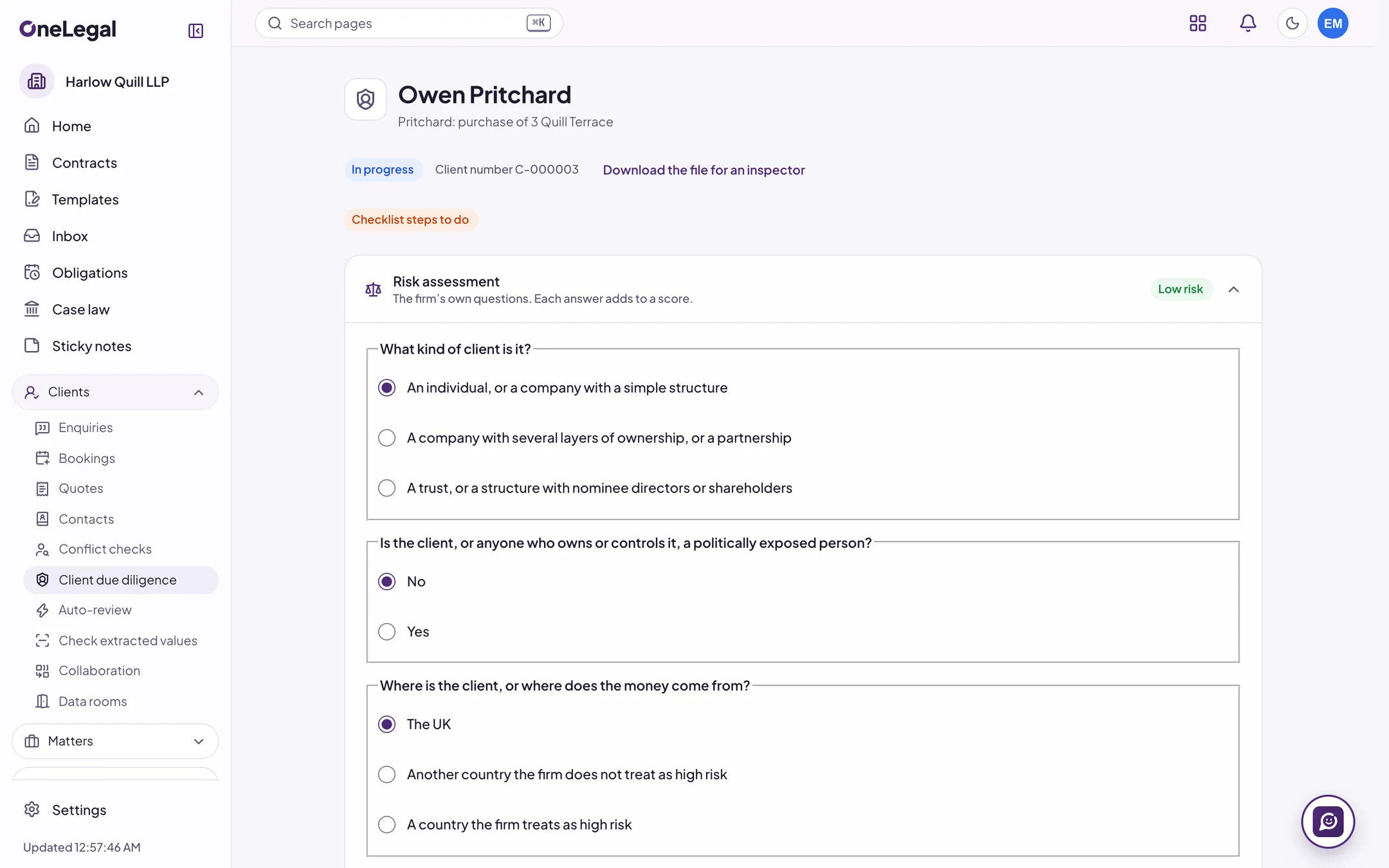
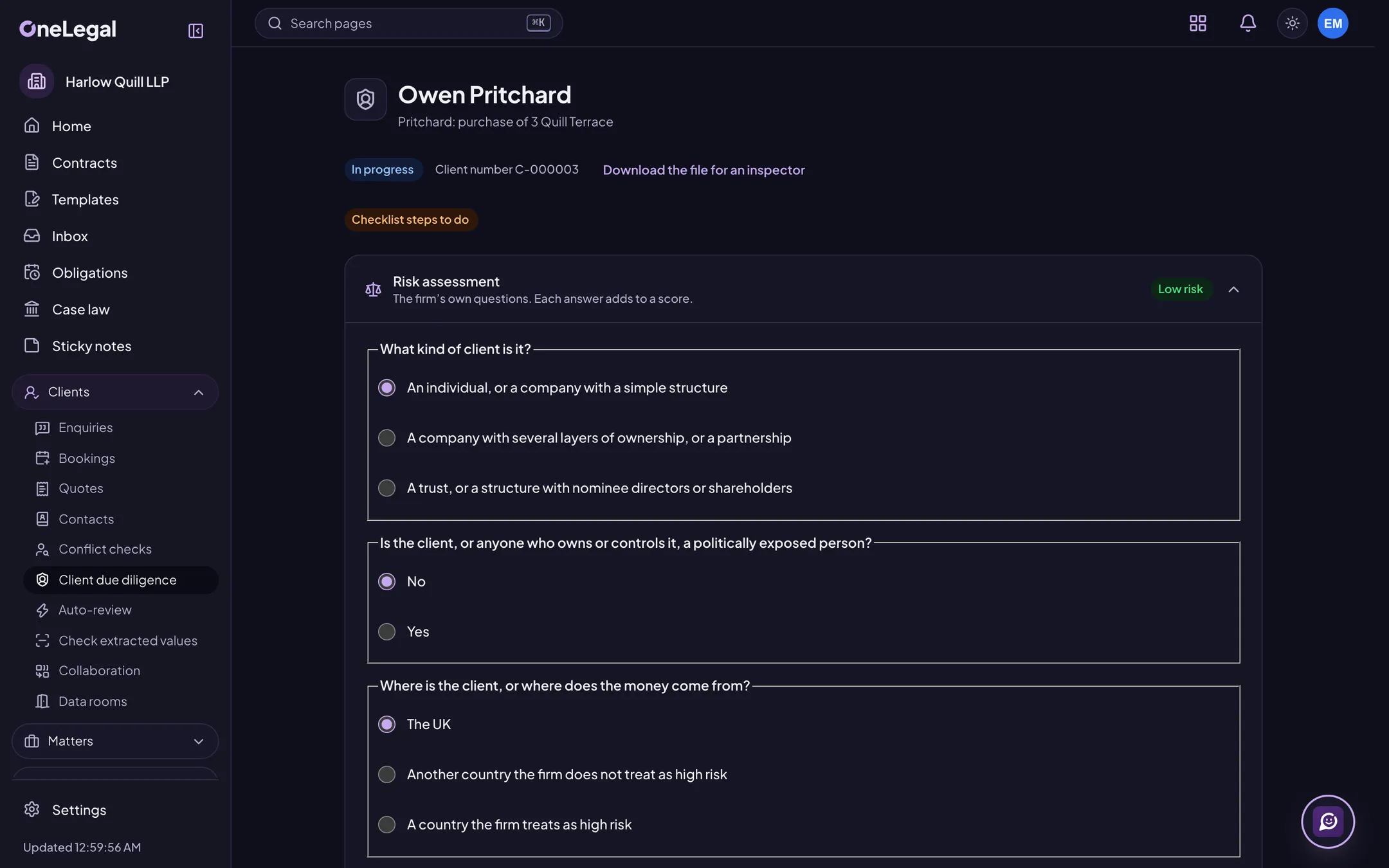
Client due diligence
A risk assessment with your own questions and weights sets simplified, standard or enhanced due diligence, each with its evidence checklist, a re-check date by risk and sign-off by a second person. Source of funds and wealth are asked in amount bands, with evidence and review.
ID checks and screening
Send an electronic ID check, and screen a client and the people on its file for politically exposed persons, sanctions and adverse media, with each possible match reviewed and the reason kept. Both connect to a live checking service at launch.
Client care letters
Make the client care letter from your pack for the matter type, send it, follow up with reminders and record the client’s acceptance with its evidence. You can hold time and bills until the letter is accepted.
Job 2 of 7
Run every matter
Everything about a matter on one page, and the dates, tasks and steps that keep it moving.
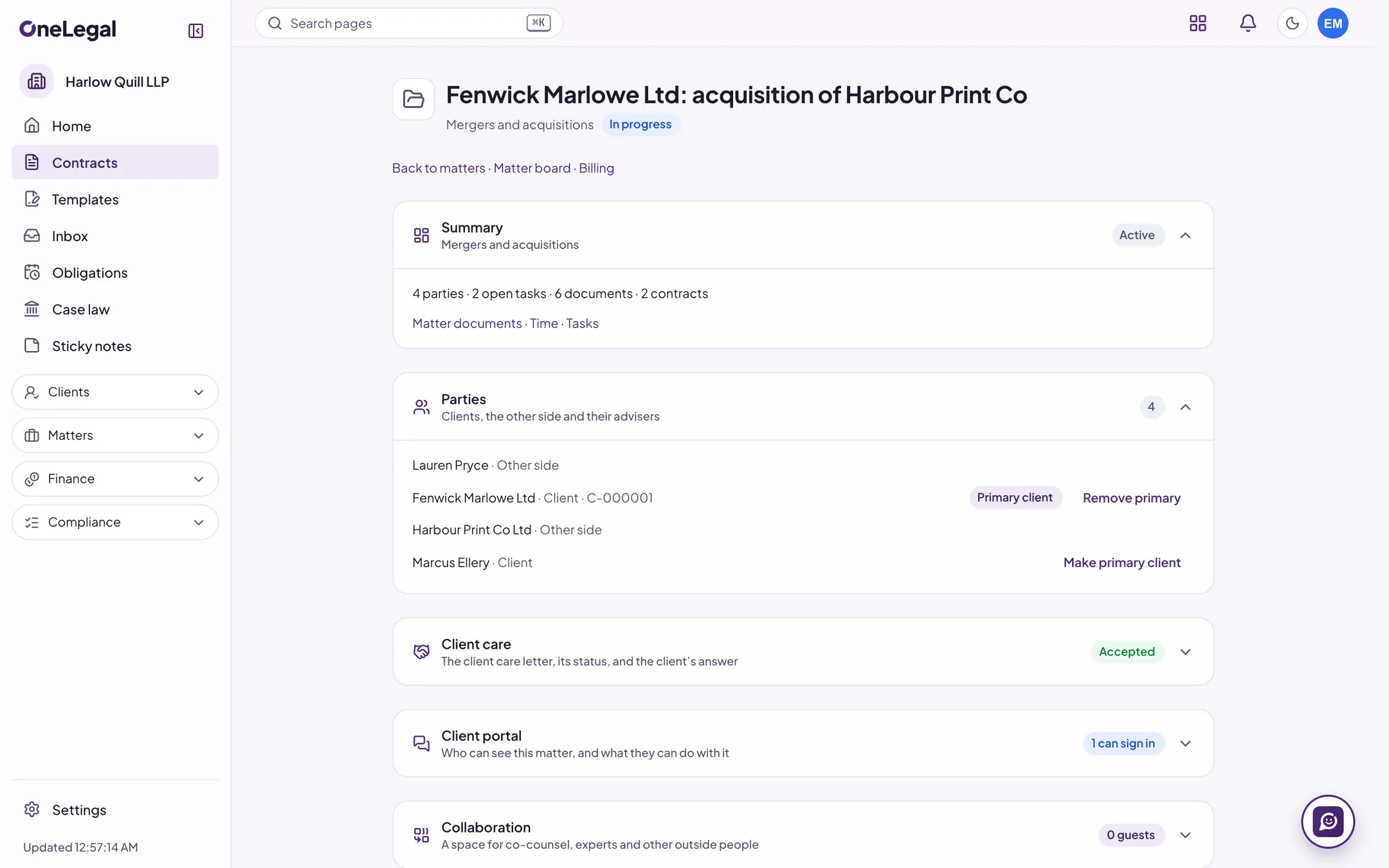
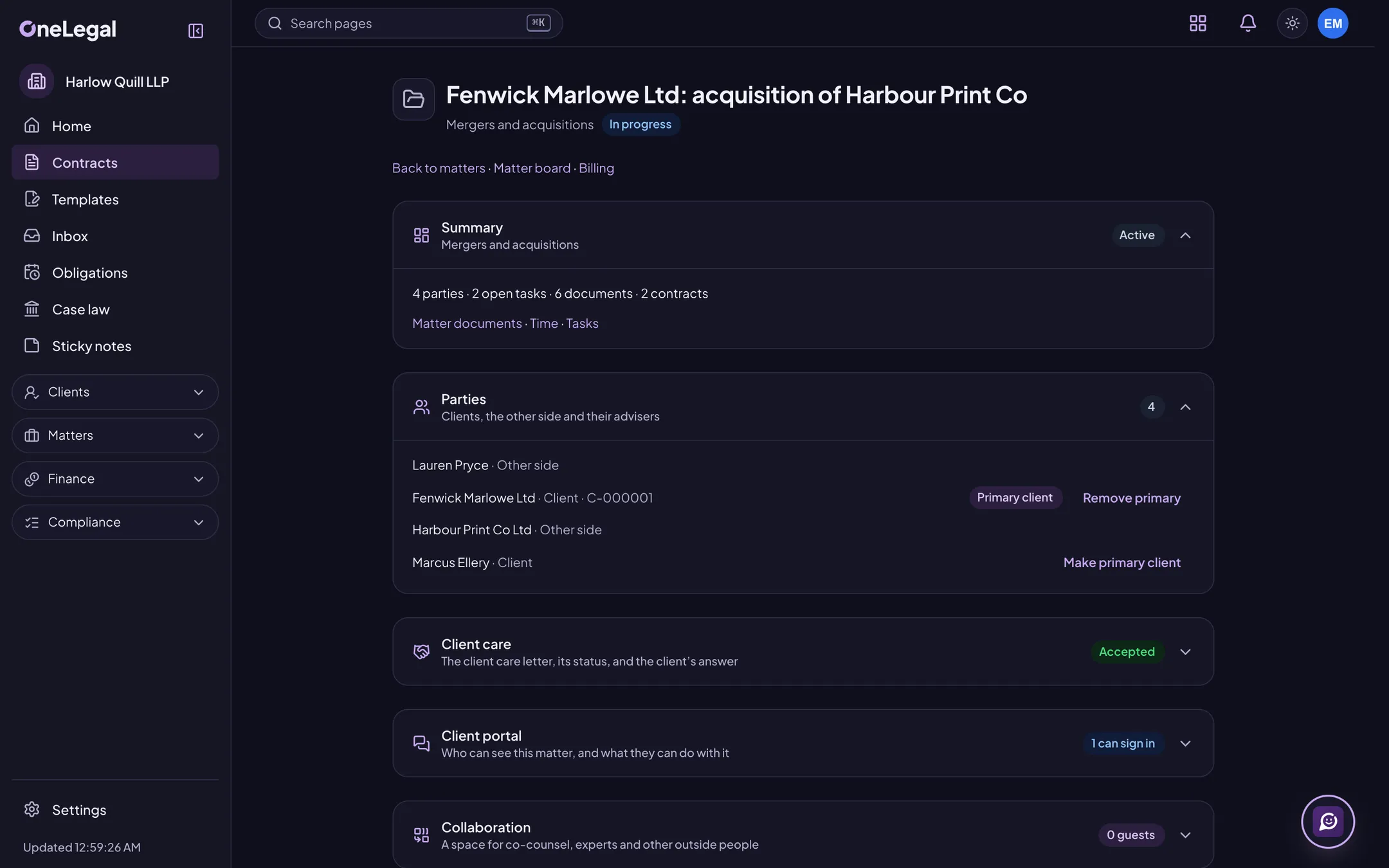
A home page for each matter
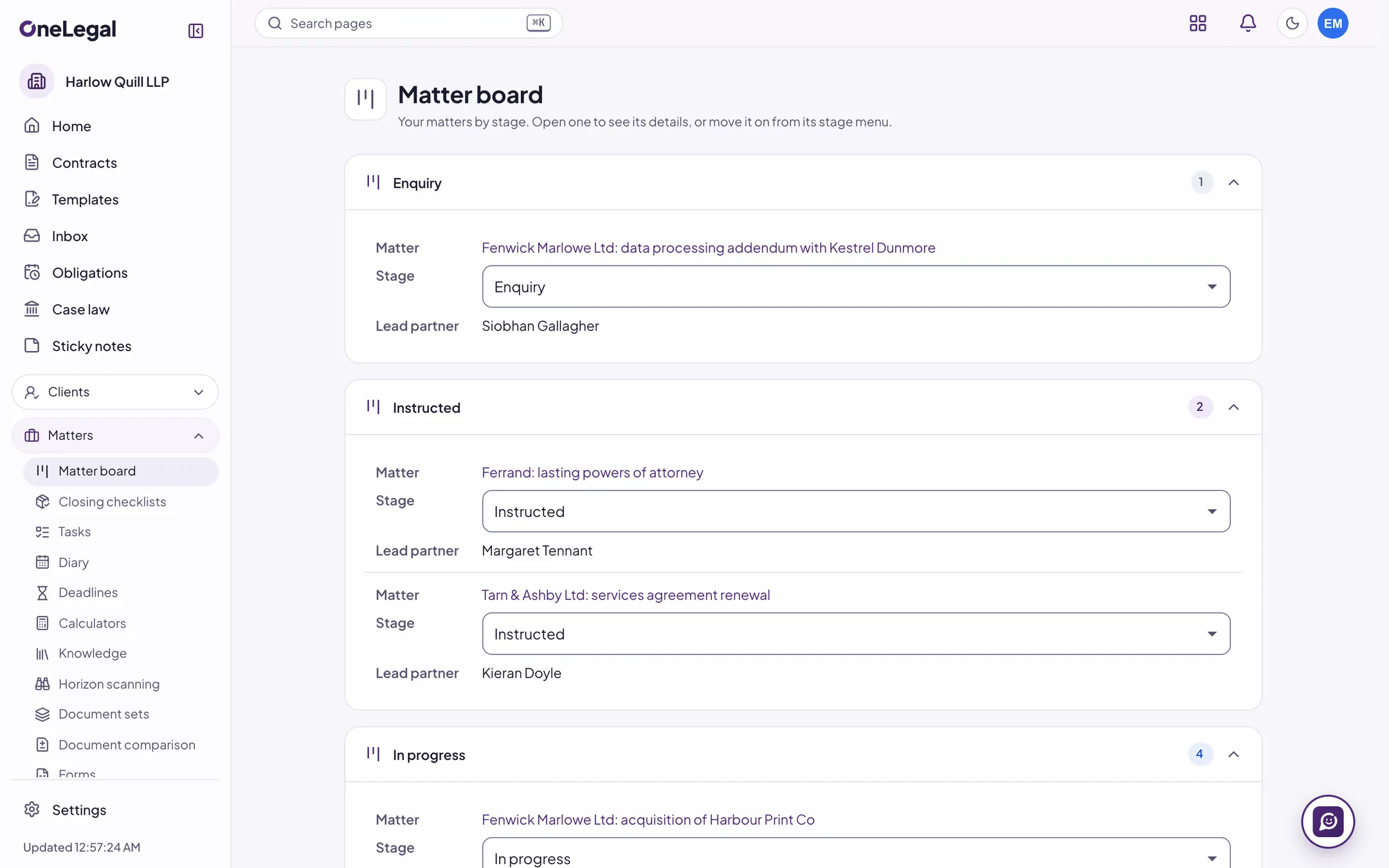
Parties, key dates, tasks, documents, contracts, work in progress, the latest conflict check and linked matters on one page, with an activity feed and internal notes that mention colleagues on the matter.
Your own fields and matter templates
Add the fields your firm needs to matters, contacts, contracts and leads, such as a file reference or the responsible partner, with required, unique and restricted fields. A matter template opens a new matter with them filled in.
Stages and a matter board
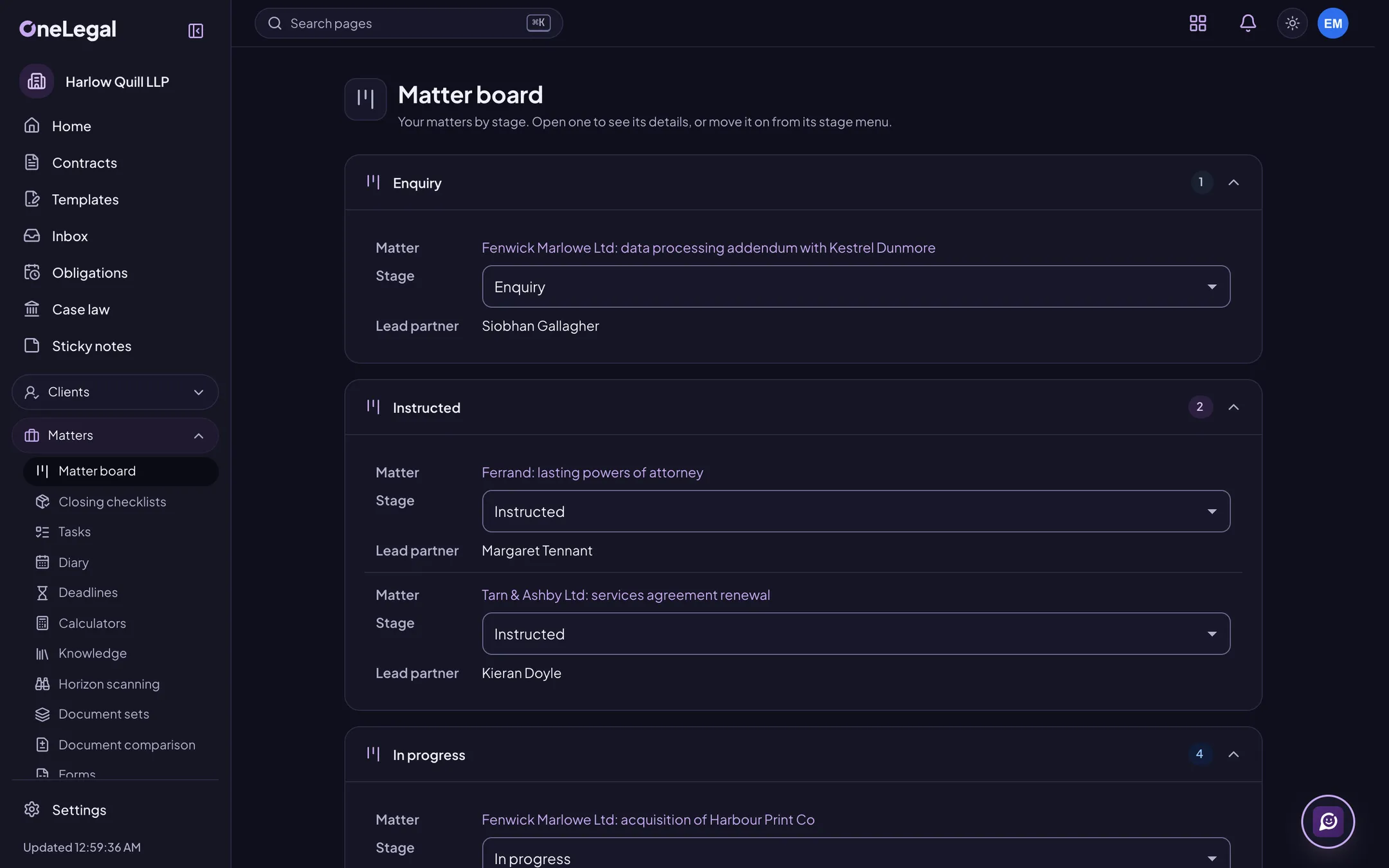
Set the stages a matter goes through, see every matter on a board by stage, and move one on from its page.
Matter documents
Letters, forms, evidence, email, post and pictures in the folders you set, with versions, a trash and search by name, notes and the text inside.
Tasks, task lists and the diary
Tasks with due dates and priorities, reusable task lists with due dates counted from the day you choose, and a diary of appointments, hearings and deadlines with reminders, shared on the matter unless it is private.
Your calendar, kept in step
Two-way sync with Microsoft 365 and Google calendars: your events go out with little detail by default, and outside appointments show as busy. It connects to each calendar’s live service at launch.
Deadlines, limitation dates and calculators
Deadlines worked out from a trigger date with rule packs for each legal system, loaded once your lawyers have checked them. Each becomes a diary event and a task, and a changed date shows what moved. Calculators for court fees, interest and working days show their inputs and the table they used.
Workflows that run the routine
When a matter opens, changes stage or reaches a date, a workflow can add tasks, move the stage, put events in the diary and tell people, with conditions and waits in working days. Test it on a matter, rehearse it on real ones without changing them, and roll back a version.
Email and client communications
File an email and the attachments you choose to a matter from Outlook, with the matter suggested from the thread. Each matter keeps its correspondence in order with a log of calls, meetings and letters, and sends a standard update by email from a template.
One search across the firm
One box for matters, contacts, documents, filed emails, contracts, tasks and bills, with snippets and filters. Every result is checked against the matters and permissions of the person searching.
Your know-how
Practice notes, checklists, precedents and policies with versions, owners and review dates, linked from the matters and workflow steps that need them.
Closing and archiving
Close a matter through your own checklist, with warnings for open undertakings, unbilled time and unpaid bills. A closed matter is read-only and kept; archive it with a disposition date and retrieve it with a reason that is audited.
Job 3 of 7
Letters, forms and bundles
Produce the paperwork from what the matter already knows, and clean it before it leaves.
Letters from your templates
Word templates with merge fields from the matter, its contacts by role, the fee and your own fields. Pick the paragraphs, make a letter for one or several people and file it as Word or PDF. A missing value stops it and says which.
Document sets and bulk letters
Several letters from one set of answers, or one letter for many matters from a spreadsheet. The sheet is checked first, and any row that can’t be made is listed with its reason.
Court and transaction forms
Your own form files, PDF with fields or Word, mapped to matter and contact fields and filled from the matter. Forms are versioned and show their licence. You can also build a form in OneLegal and print it blank.
Court bundles
Order a matter’s documents into a bundle with a cover sheet, dividers, placeholders and an index with page links. Paginate, bookmark, watermark and split it into volumes, using the court profiles you set.
Clean, redact and proof
Strip authors, comments, tracked changes and hidden text from a copy. Redact a PDF permanently and check the text is gone. Proof for placeholders left in, numbering, defined terms and amounts that disagree with their words. The original is kept.
Compare documents
Compare two documents, or one against several, and get a Word file with tracked changes, a change list and a side-by-side view with counts by section. Each comparison is saved on the matter.
Job 4 of 7
Time, bills and the firm’s books
Record the work, bill it the way it was agreed, and see how the firm is doing.
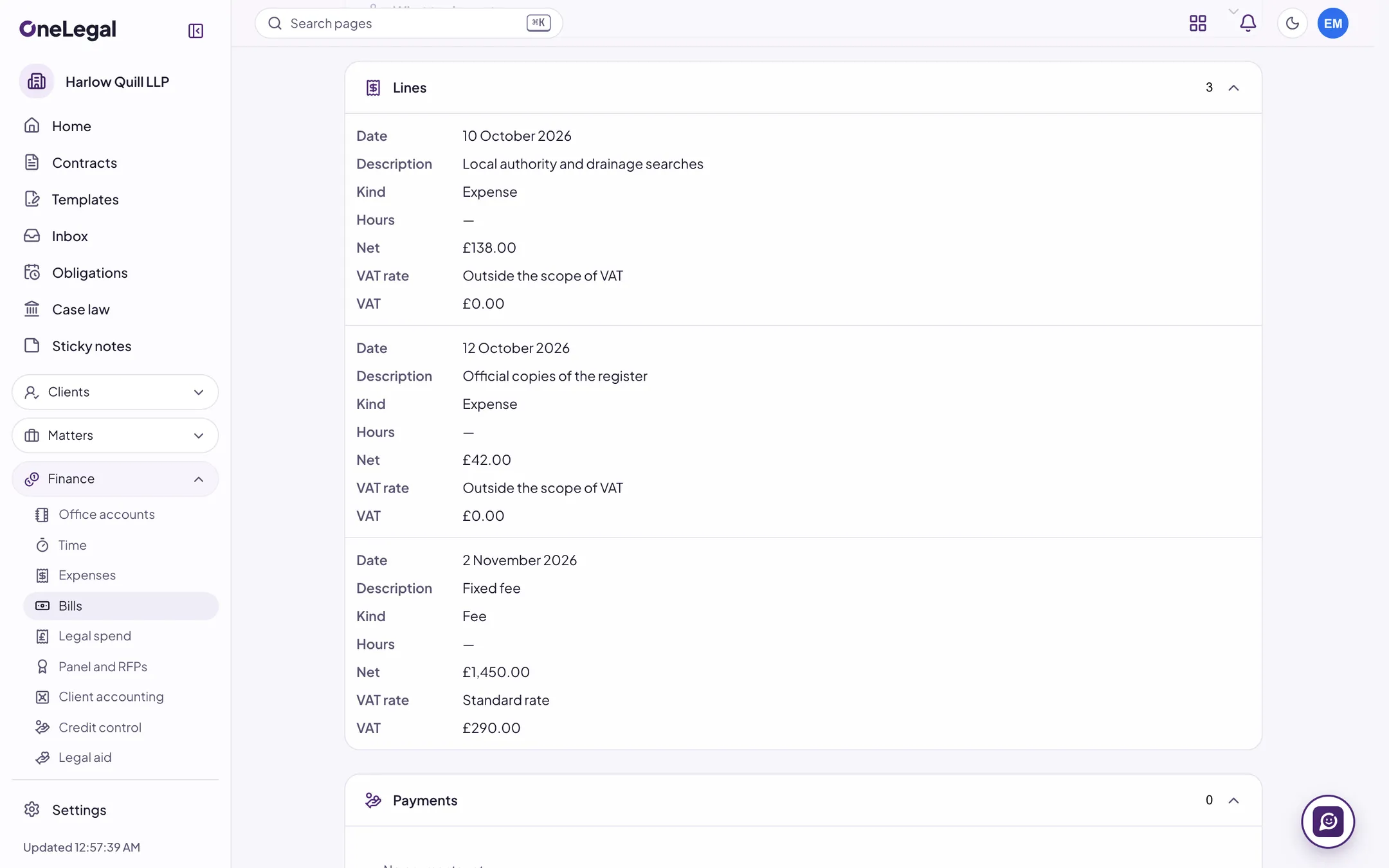
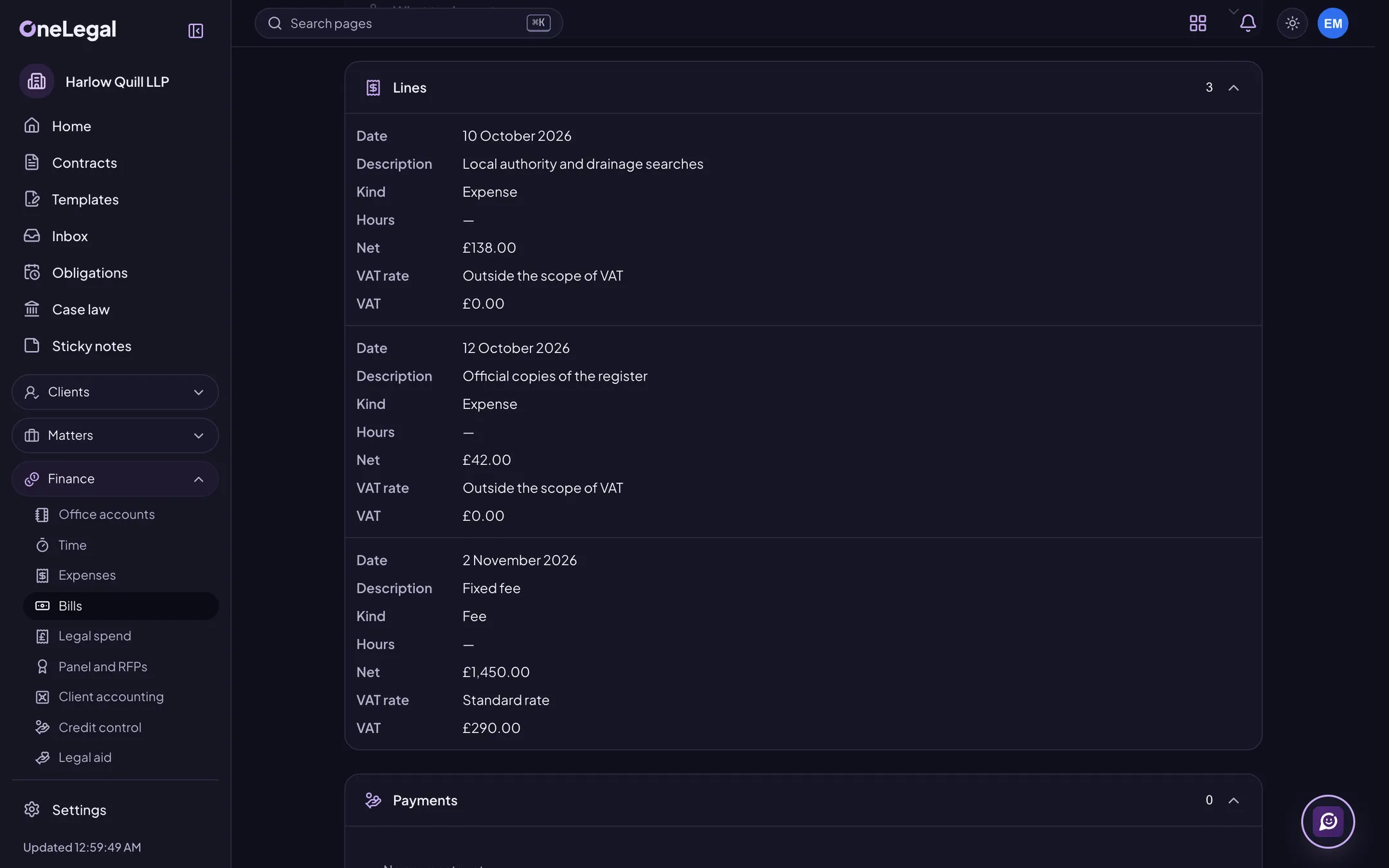
Time recording
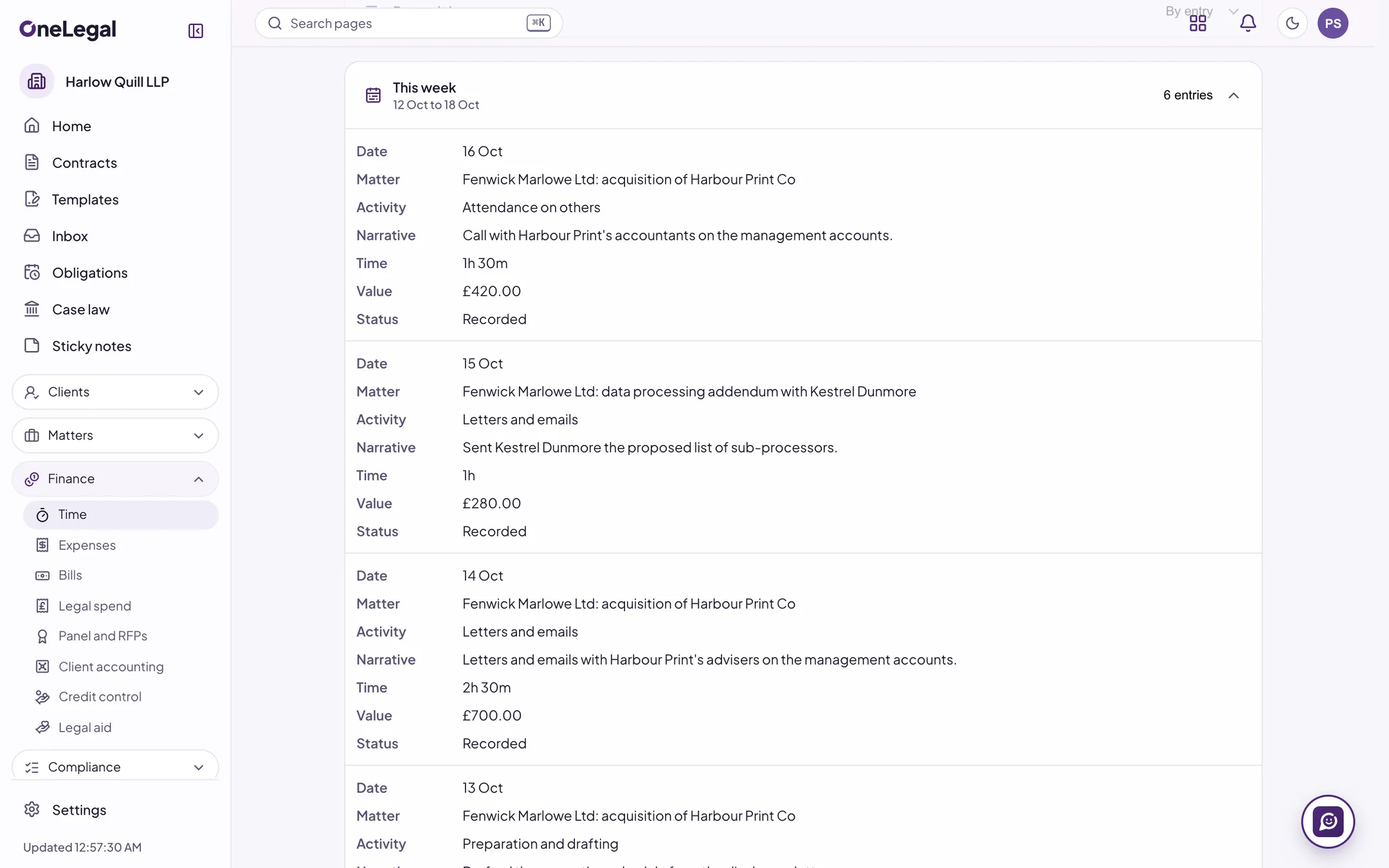
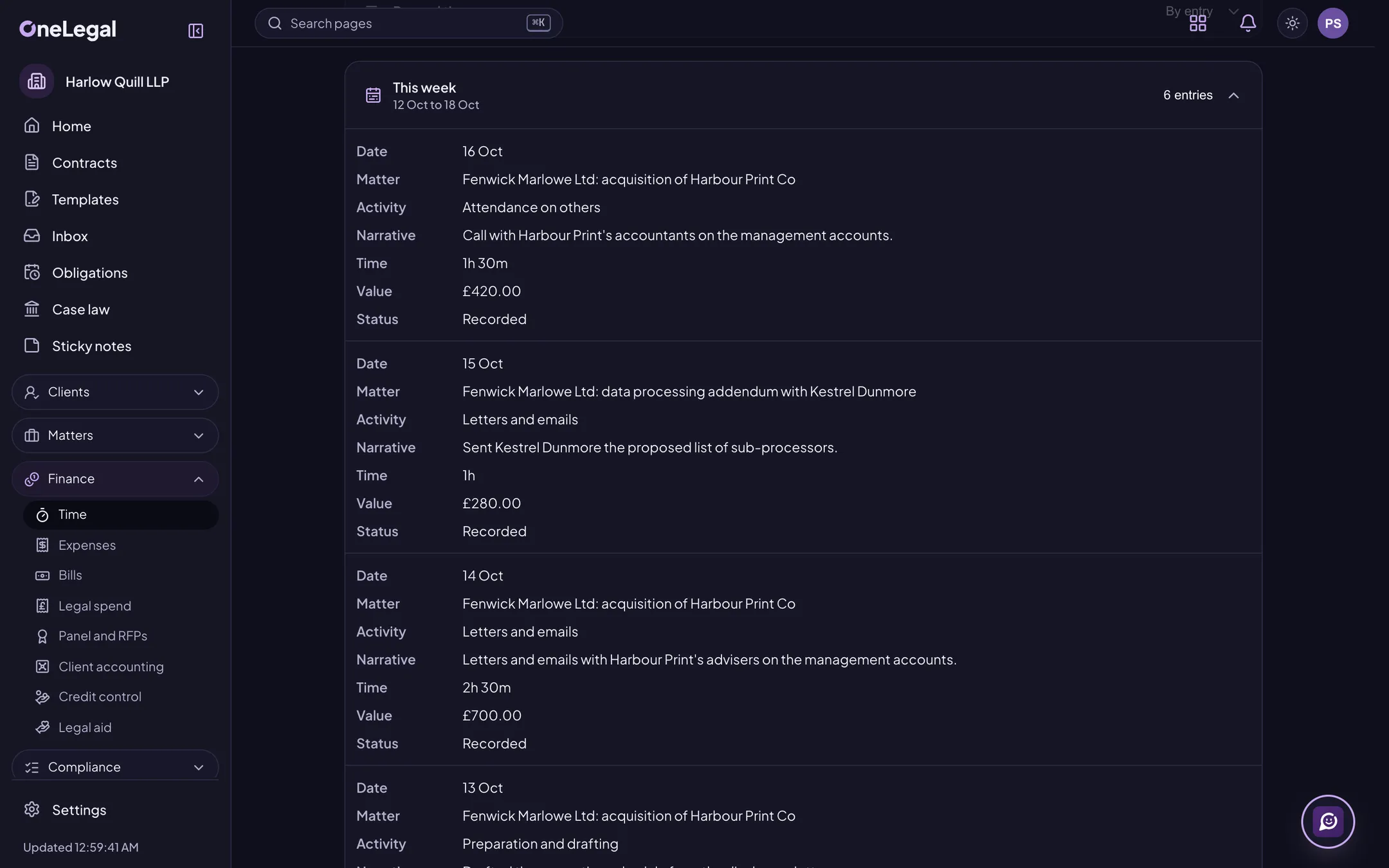
Record time with a running timer or by entry, in the units and at the rates your firm sets, with activity codes. Unbilled time shows as work in progress on each matter.
Time suggestions
Suggested entries from what a person did in OneLegal (edits, meetings attended, tasks finished, emails filed), each with a draft narrative to accept, edit or dismiss. Nothing posts by itself, and it stays off until the firm and the person switch it on.
Expenses and disbursements
Disbursements paid and still to pay, and expense recoveries, each with its VAT and an optional receipt, ready for the next bill.
Fee arrangements and budgets
Hourly, fixed, capped, staged, success and damages-based fees with their VAT and notes, and a budget or estimate on each matter with a warning at the share you choose.
Bills
Bill from unbilled time and expenses with VAT, approval, payments, credit notes and write-offs. Split a bill between payers, bill in another currency at a rate locked when the bill is issued, produce LEDES files, and see a warning when a client’s billing guidelines aren’t met.
Credit control and payment links
See who owes what in your own age bands, send reminders you have reviewed, issue statements and pause reminders while a bill is disputed. A payment link lets a client pay a bill by card; it connects to a payment provider at launch.
Office accounts and VAT
The firm’s own books: a chart of accounts and a double-entry ledger, sales from issued bills, purchase bills and supplier payments, bank reconciliation, the VAT return’s nine boxes approved by a second person, month-end and year-end, budgets and a cash-flow forecast.
Xero, QuickBooks and Klyant
Send issued bills, payments and VAT to your accounting package through your own account mapping, with each held item explained and a drift report that compares the totals. It connects to each package’s live service at launch.
Firm reports and benchmarks
Work in progress, billing, collections, aged debt, lock-up, utilisation and realisation by person, matter, area and period, against the last period and your targets. If you choose, compare your figures with the anonymous quartiles of firms of a similar size.
Report builder and dashboards
Build reports from governed data with filters, grouping, totals and charts, share them inside the firm and arrange them into dashboards. Each viewer still sees only their own matters.
Job 5 of 7
Compliance and risk
The registers, checks and sign-offs a regulated firm keeps, in one place, with the right people told.
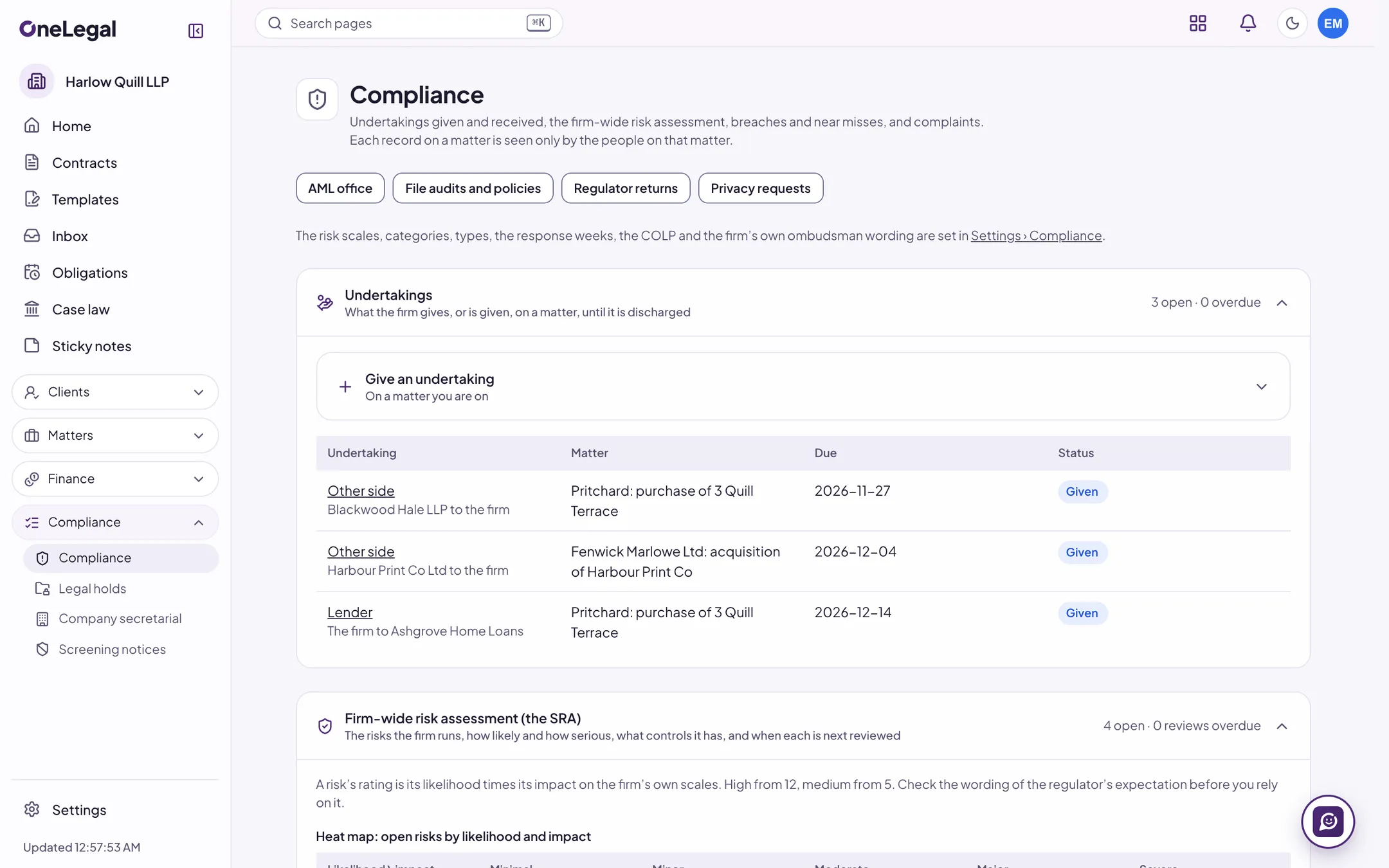
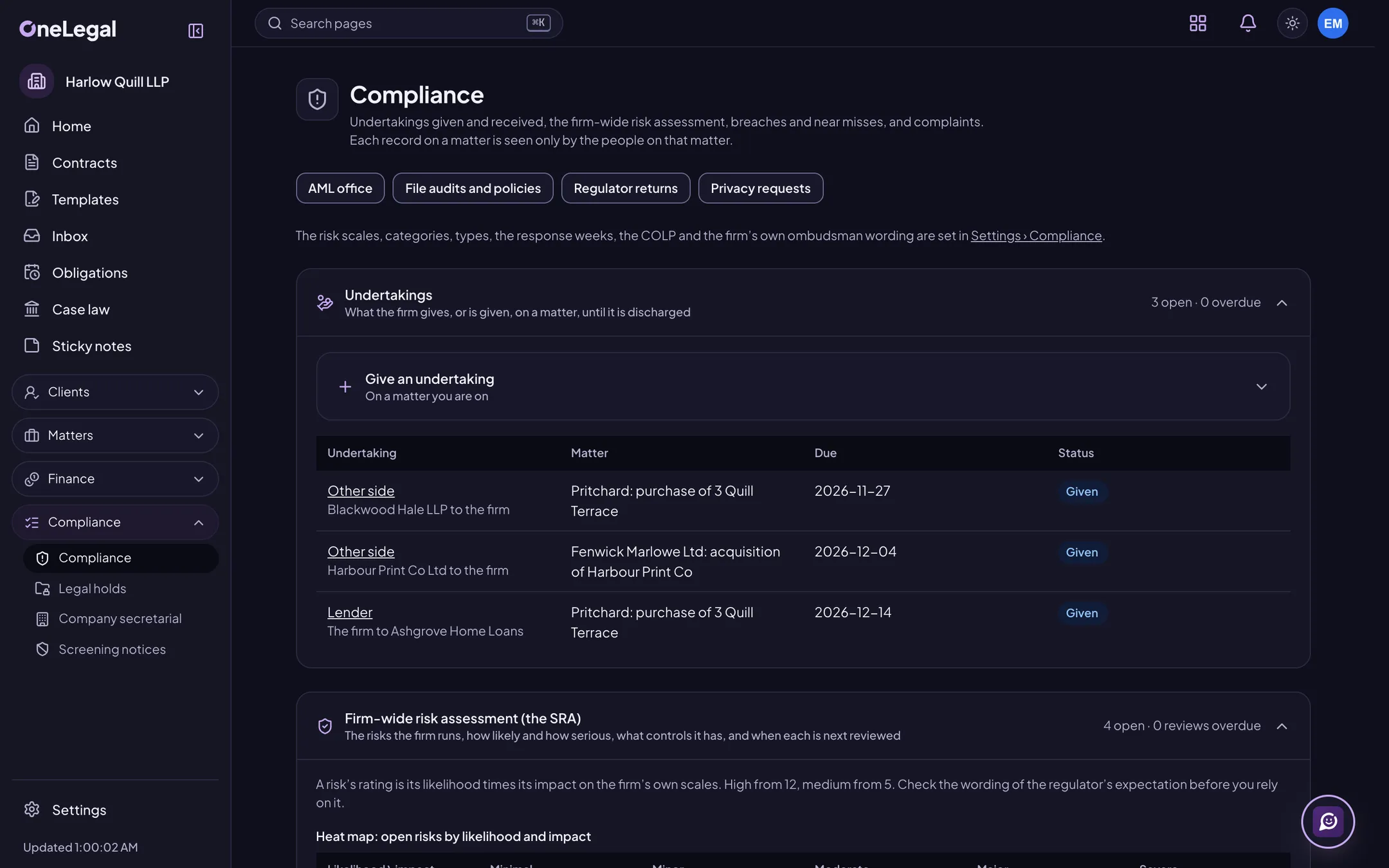
The MLRO’s office
The firm-wide anti-money laundering risk assessment with its approvals and annual review, a dashboard of client due diligence, and an internal suspicious activity log that only the named MLRO and deputy can read. Its records never appear on a matter, in search or in a notice.
Risk register
Risks with owners, categories and your own likelihood and impact scales, with controls, a heat map, review dates and every review kept.
Breaches and near misses
Report a breach or a near miss with its severity. The COLP, COFA or DPO decides whether it is reportable, and the decision is recorded. A personal-data breach shows the 72-hour ICO clock, and corrective actions become tasks.
Complaints
Log a complaint with your response deadline and your own ombudsman wording, record the outcome and the root cause, and report by category and time to respond.
Undertakings register
Give, track and discharge undertakings on a matter, with the evidence. Reminders come before the due day, and an overdue undertaking alerts the person who gave it and the COLP.
File audits and policy attestations
Review sampled files against your own checklists, score them and turn each failed item into a task for the fee earner. Policies have versions, and each person attests to the current one.
Regulator returns and insurance
Track your regulators’ obligations and due dates, the renewal of your indemnity insurance, and the data for your annual return, exported for you to file. OneLegal never sends anything to a regulator.
Privacy requests
Subject access, erasure and the other rights requests on one register, with the one-month clock, identity checks and collection tasks. An erasure is checked for legal holds and retention first, and needs a second person’s approval.
Legal hold notices
Send a hold to custodians inside and outside the company, with a link to confirm it, reminders, a word to their manager after the days you set, and a notice when the hold is released. OneLegal tracks the notices and answers; it doesn’t collect data.
Ethical walls and screening notices
Wall a matter, or every matter of a client, against people, teams or roles, with a screening notice people read before they open it. Reports show who can see a matter and why. An access by someone walled out raises an alert and a breach entry. Walls also come in from iManage and Intapp, connecting to each at launch.
Job 6 of 7
Practice areas
Tools for the work itself, each clear about the legal system it covers.
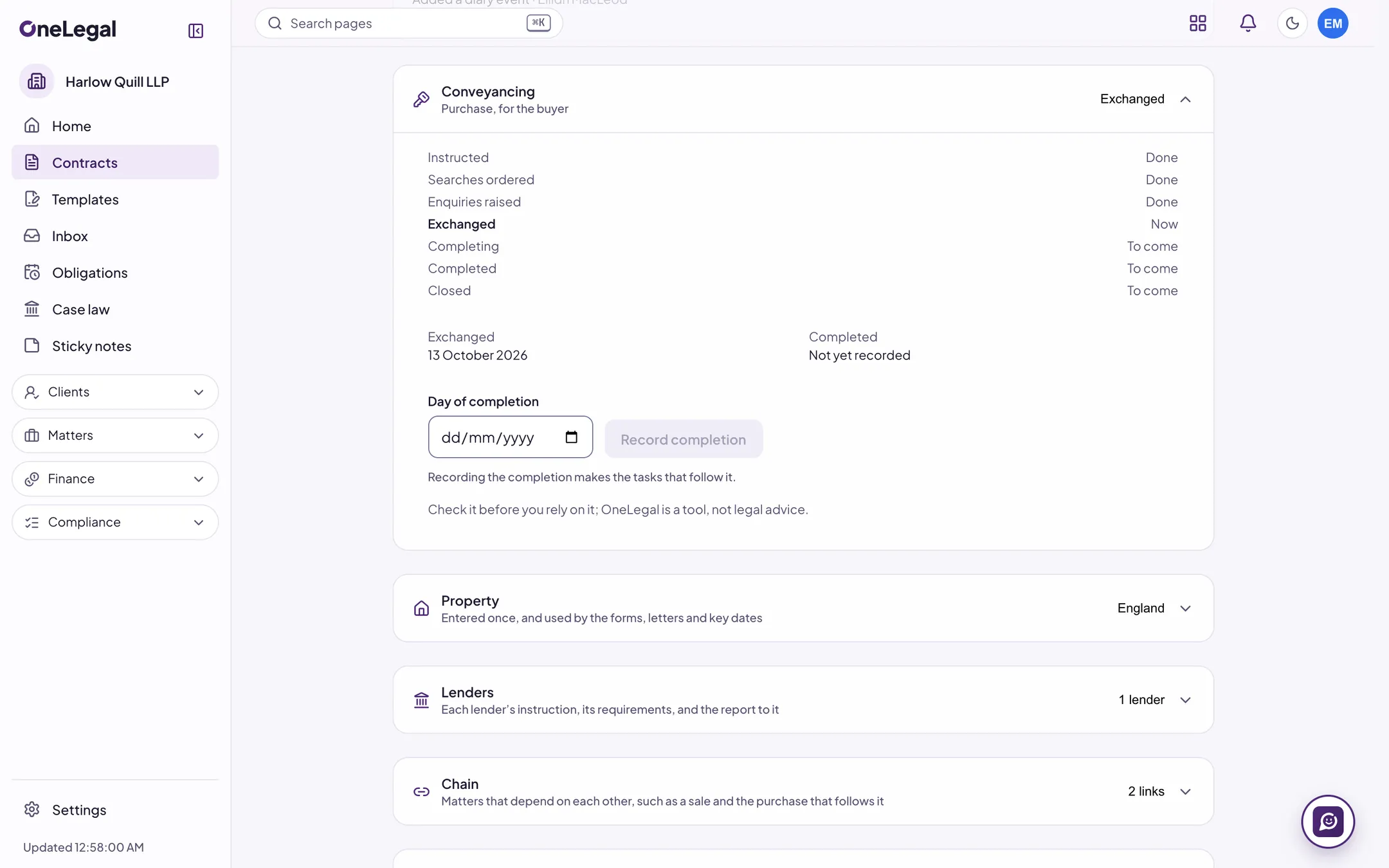
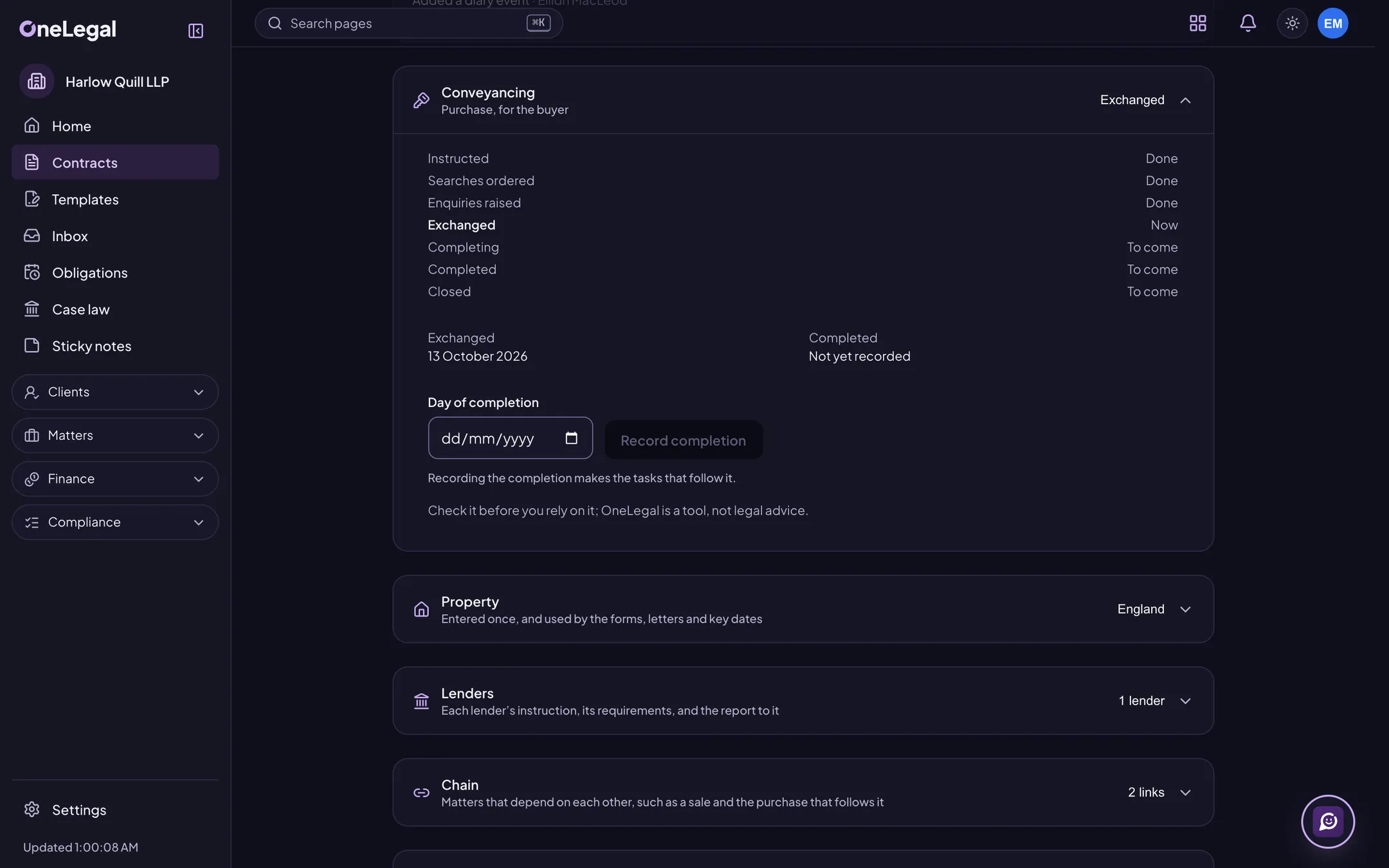
Residential conveyancing, for England and Wales
Nine matter types, each with its stages, task list, key dates and letters. Enter the property, the parties and the lenders once, see a chain of linked matters, and have undertakings prompted at exchange and completion.
Property information forms, for England and Wales
Four questionnaires (property information, fittings and contents, leasehold, and new build) that your client completes in the portal, with guidance, saved progress and a typed-name declaration. You accept or return each answer, and the finished form is a PDF on the matter.
Land tax, wherever the property is
Stamp Duty Land Tax for England and Northern Ireland, Land and Buildings Transaction Tax for Scotland and Land Transaction Tax for Wales, on a purchase or a lease, from dated rate tables with the bands and reliefs shown. Keep the calculation on the matter and prepare the return from it.
Conveyancing quotes
A fixed-fee quote for a residential purchase from your own fee scales, with extras, costs, the land tax for the property’s country, VAT and a total. The prospect can instruct you or decline on your firm’s public page.
Title indemnity records
A register of the policies placed for a defect: insurer, reference, cover, premium and who pays, with the premium posted as a disbursement and your own FCA status wording shown. You place the policy with the insurer; OneLegal keeps the record.
Probate and estates, for all three UK legal systems
The deceased, executors, beneficiaries, assets, debts and gifts of an estate in one place, an inheritance tax estimate from dated thresholds with its workings, estate accounts, a distribution schedule, the grant or confirmation, and the tax deadlines in the diary.
Wills, powers of attorney and safe custody
A safe custody register for wills, deeds, powers of attorney and the other documents you hold, with each item’s place, review date and history. Retrieval needs a second person’s approval, and powers of attorney have a progress tracker for England and Wales, Scotland and Northern Ireland.
Litigation
A litigation file with the track, court and claim numbers, parties, offers to settle, witnesses, experts, disclosure, hearings and a chronology, with key dates from the deadline rule packs. For England and Wales, costs budgets in the Precedent H shape, statements of costs (N260) and bills of costs (Precedent S).
Legal aid, for England and Wales
Matter types, fee schemes and rates kept with the dates they take effect, time valued at the hourly rates, an alert when a fixed-fee matter nears its escape threshold, and a monthly claim file for you to upload. For Scotland, the records and rates are kept without a claim file.
Company secretarial
Records for your group companies: officers, people with significant control, shares, charges and statutory registers as they stood on any date, with a filing calendar, filing packs to review and a minute book.
Closing checklists
Conditions precedent and subsequent and post-completion items with owners and due dates, a signature grid that tracks each party’s pages, a conformed copy and a bookmarked closing book.
Job 7 of 7
Clients and outside parties, online
A secure place for clients, co-counsel and the other side to work with you, with no licence for them to buy.
Matter progress and messages
Clients see where their matter is, in your words and with the dates you share, and message you on a thread for each matter, with read receipts and office hours. Notices say that something is waiting, never what it is.
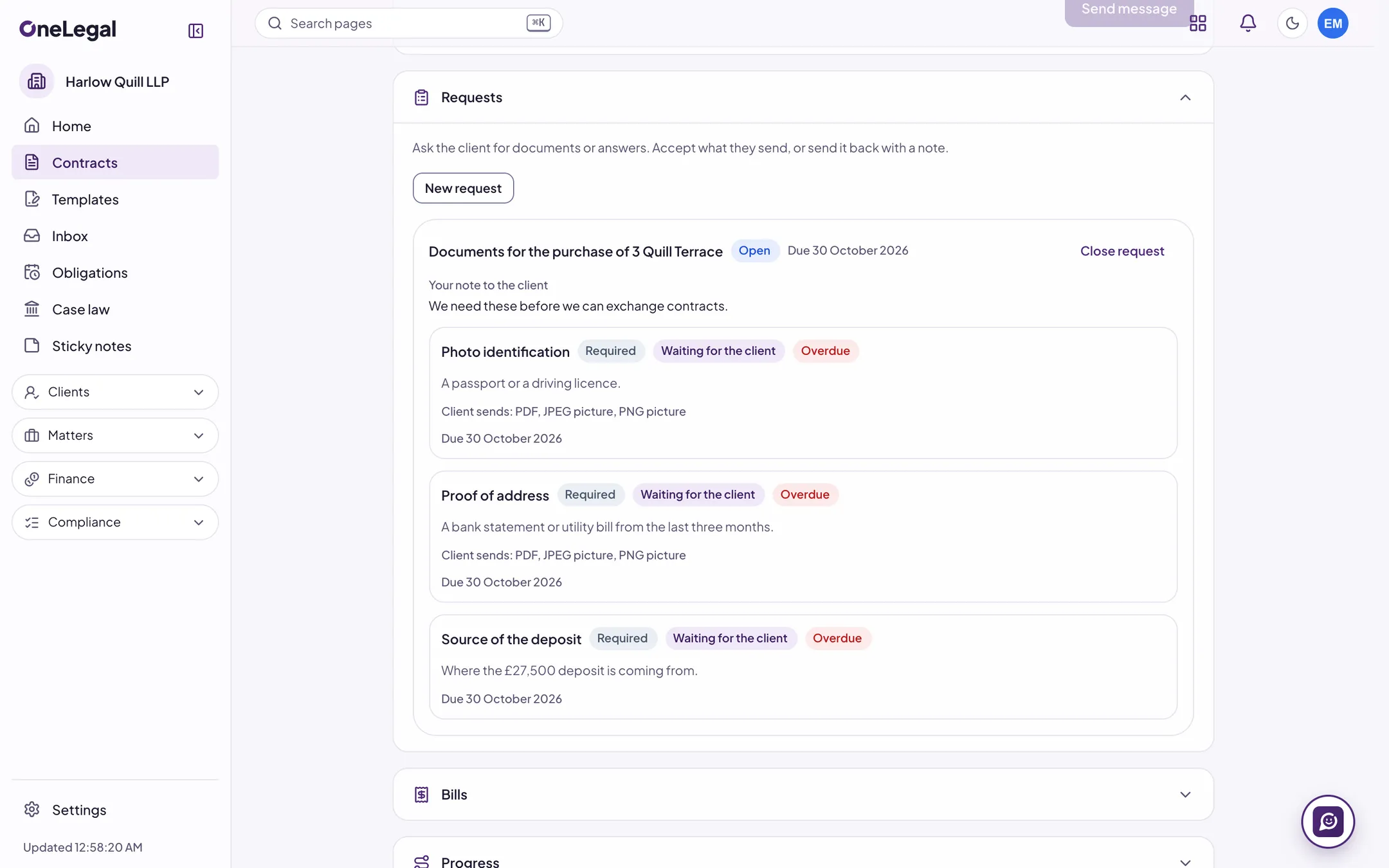
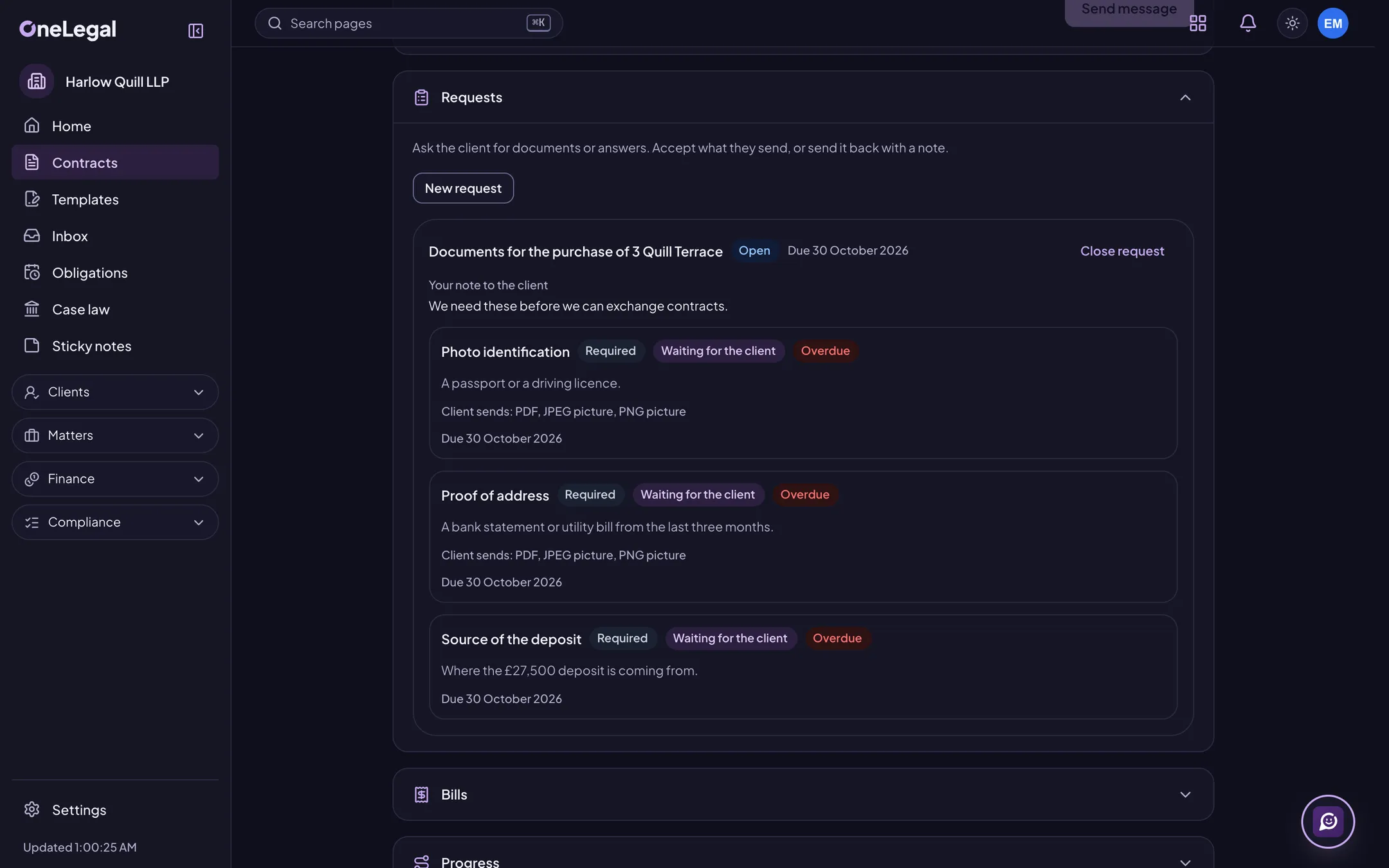
Documents and answers from clients
Ask for documents or answers on a checklist with due dates. The client uploads from the portal, you accept or return each item, and accepted files are filed on the matter.
Bills in the portal
Clients see the bills you share, with payments, credit notes and a PDF, pay by the payment link and ask about a bill. Payment links connect to a payment provider at launch.
Your firm’s own look
Your name, logo, accent colour, support contact and sign-in wording on the portal and in its emails, and counts of sign-ins, messages, uploads and payments by matter type.
Collaboration spaces
A shared space on a matter for co-counsel and experts. Guests see only what you share, comment, take on tasks and upload files you accept first, and their access can expire or be taken back in one click.
Negotiate with the other side
A room for each contract where the counterparty comments and suggests changes, each kept pending until you accept it, or sends back a Word copy that comes in as tracked changes. Whose turn it is, and since when, is always clear.
Data rooms
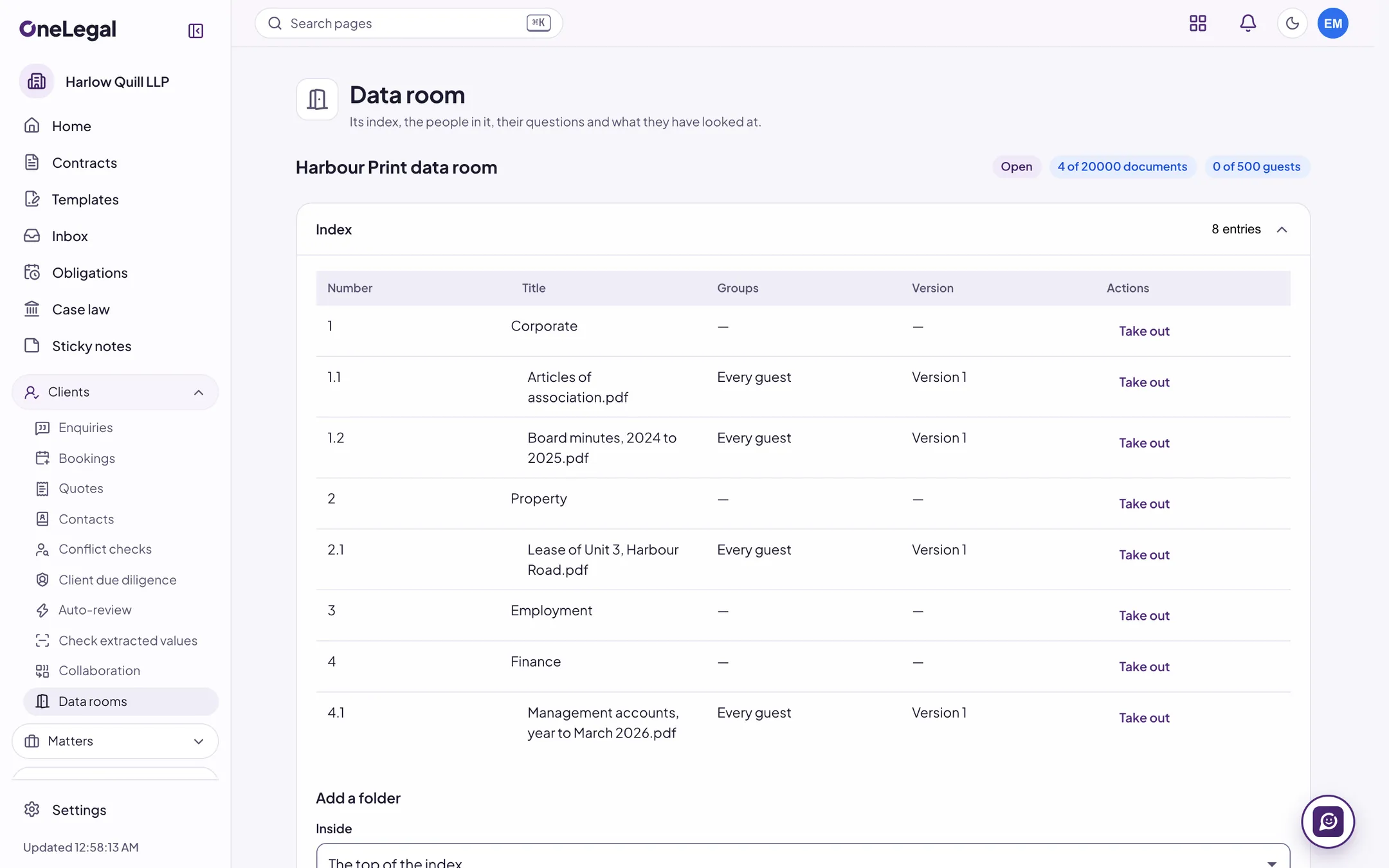
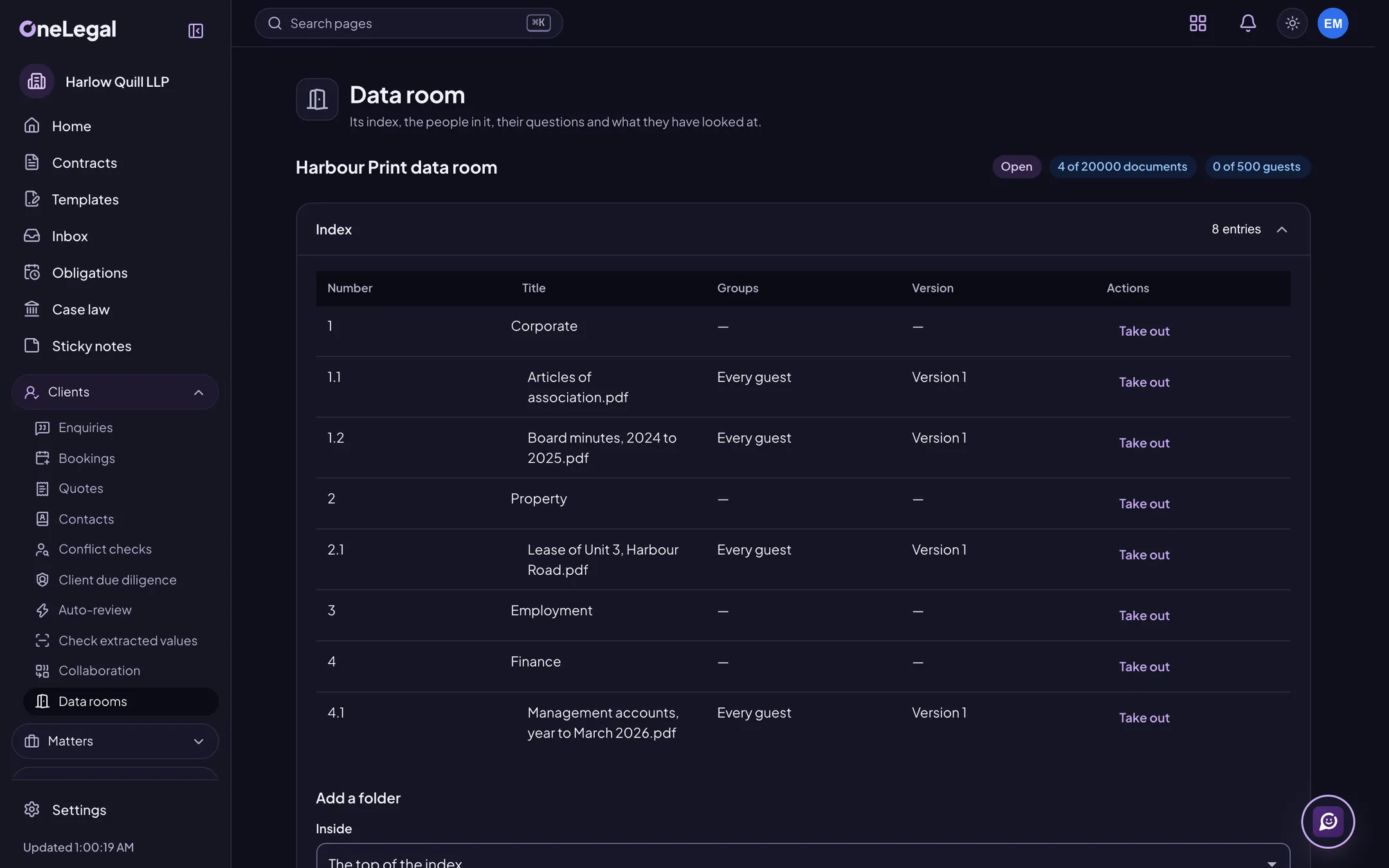
A numbered index of folders and documents for outside parties, with view, download or print rights by group, every page marked with the viewer’s name and the time, questions routed to the people who answer them, and a log of every open and download.
Drafting, reviewing or signing contracts? See the contract jobs
See OneLegal on your own contracts
Tell us about your team and the contracts you handle. We will show you the parts that matter to you.
The free trial is for one person, with a personal email address. For a team, book a demo.